
Features
Every feature, in plain words.
Here’s what Pasturly does, in the order a farm’s week goes: selling, pack day, getting it to people, bringing them back, then whole animals and the CSA. Every screenshot is from Ridge Hollow, a demo farm with made-up customers, so you’re seeing the real screens.
The screenshots are from Pasturly on its own, with your website, checkout and market app built in. Pasturly for Shopify puts the same farm tools inside your Shopify store; anything marked “without Shopify” comes with Pasturly on its own. Two ways to run it
Selling · Pack day · Getting it to people · Bringing them back · Animals and CSA · Running it
Selling
Sell the way farms actually sell
Your own website, boxes, single items, things sold by the pound, the farmers market and orders that come in by phone. All landing in one place.
Every plan · without Shopify
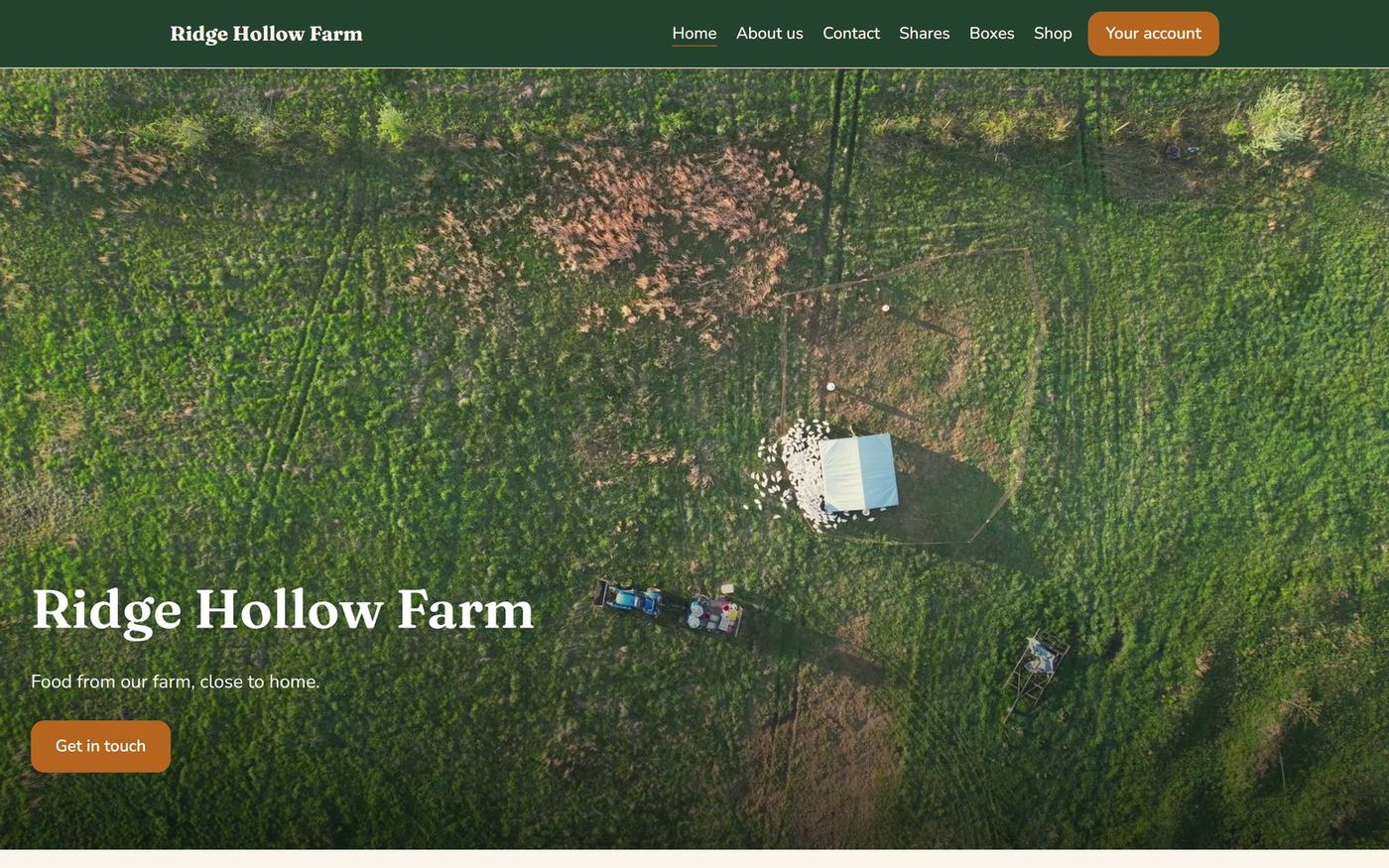
Your farm website
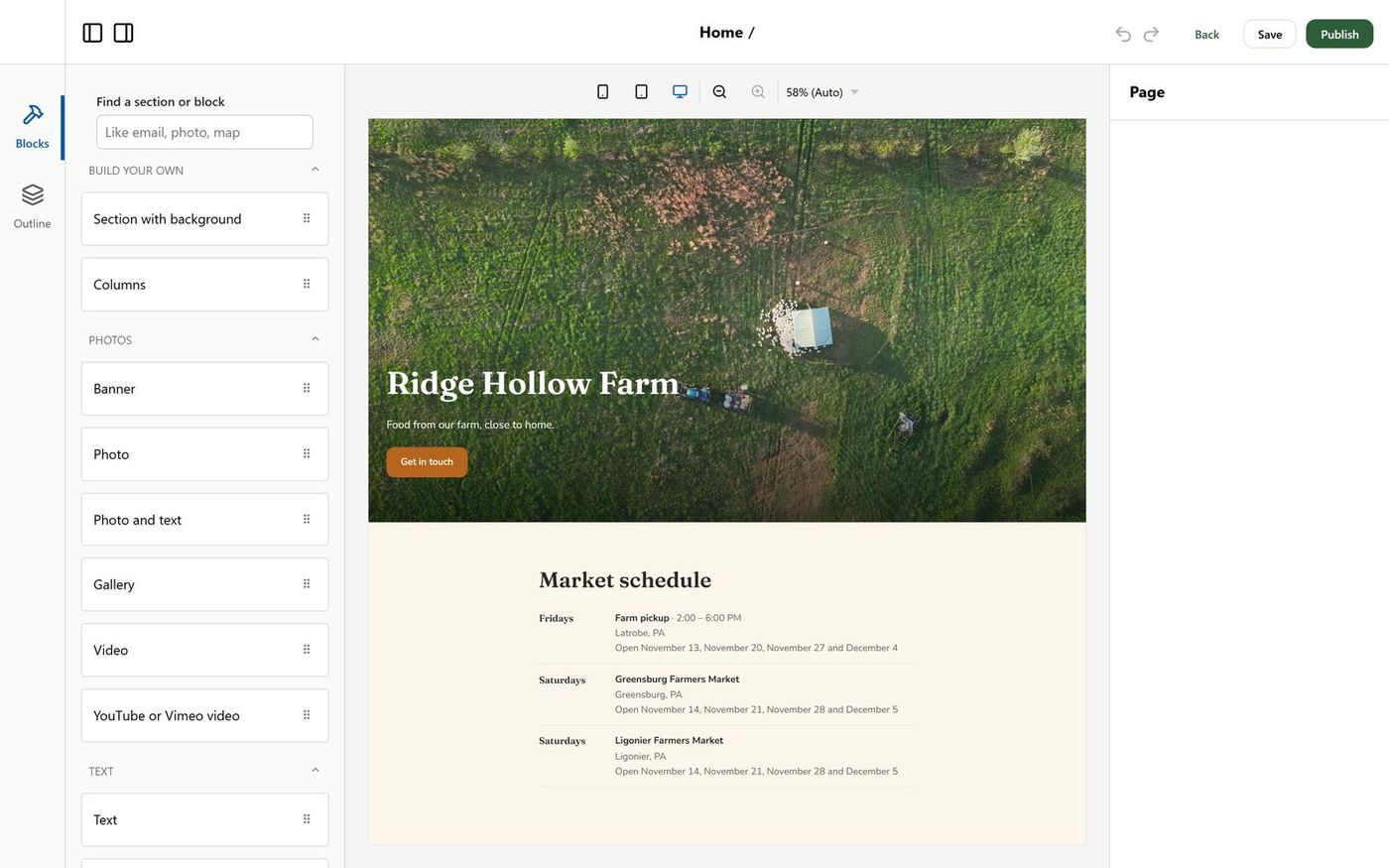
A website that sells for you, built from ready-made farm sections. No plugins and no web designer.
- Drag in sections for photos, text, video and your shop. Your market schedule, products, shares and boxes fill themselves in and stay up to date.
- Pick one of four looks, then your own colors and fonts. It looks right on a phone.
- Customers order, sign up for the CSA, buy a share of an animal and pay right on your site, into your own Stripe account.
- Use your own web address, or a free one from Pasturly. A blog, a contact form and visitor counts without cookies come with it.
Every plan
Boxes your customers build
Like the meat and produce boxes people already buy online, except it's your farm, what you raise and grow, and your pickup days.
- Customers choose how they’ll get it first: pickup, delivery or shipping. Then a box, then how often, with the real date of their first box.
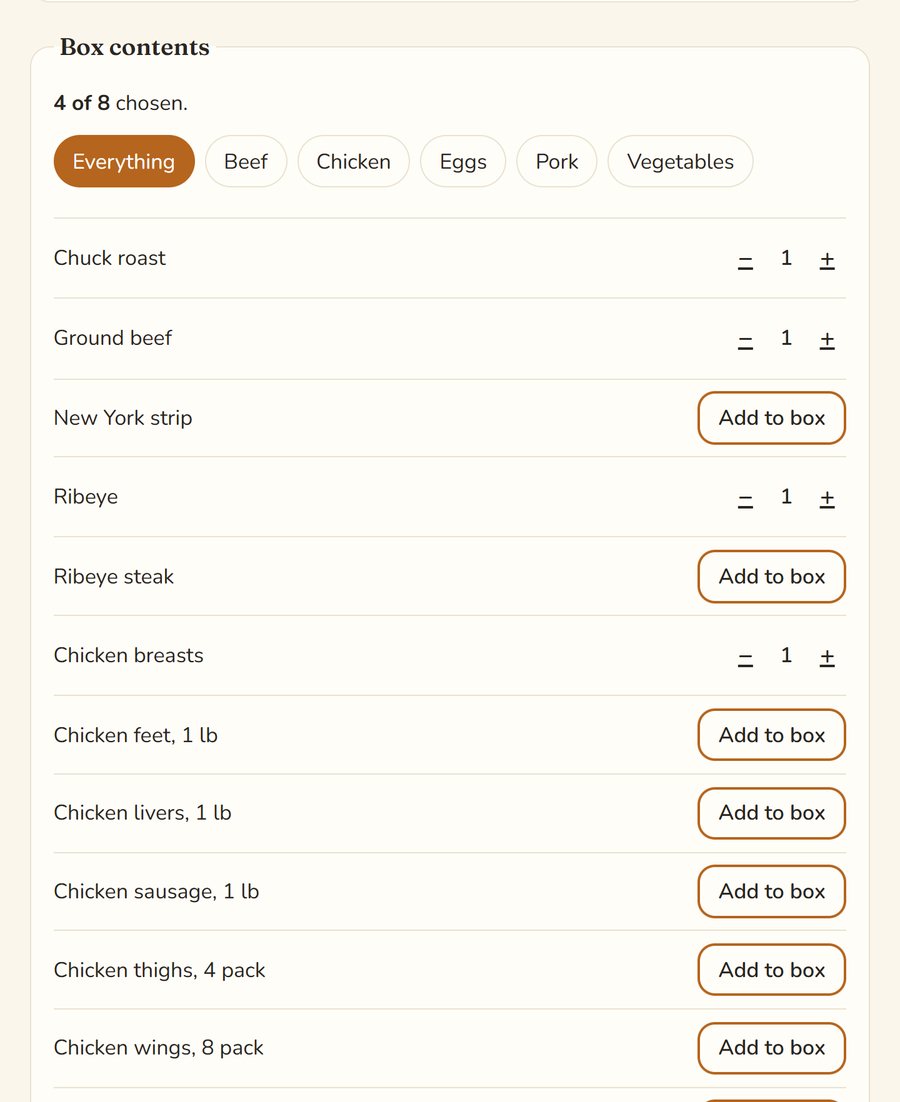
- They fill the box with what they want, from the products you allow. A counter shows how many they have chosen.
- It renews and charges by itself. Customers can swap what’s in it or skip a box until the cutoff you set.
- You decide how many items go in each box, roughly what it weighs, the price, and a badge like “Most popular”.
Every plan
A farm store for single items
For the customer who just wants two pounds of ground beef and a dozen eggs this week.
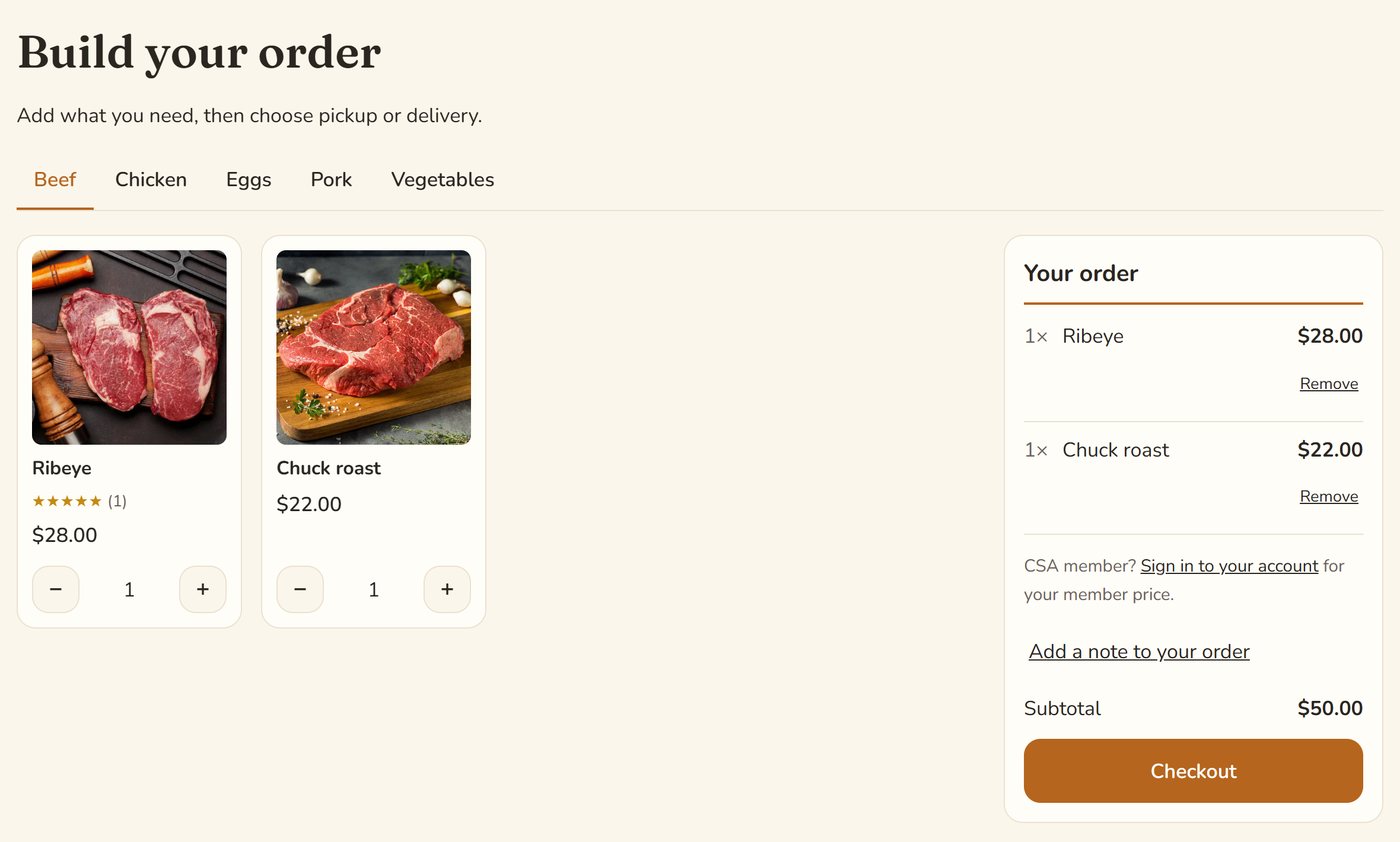
- Your store has a tab for each kind of thing you sell: beef, chicken, eggs, vegetables.
- Their order adds up beside the products, and turns into a small cart on a phone.
- They pick a pickup place or delivery from the same list your boxes use, so you only set it up once. Delivery fees are added for them, by route.
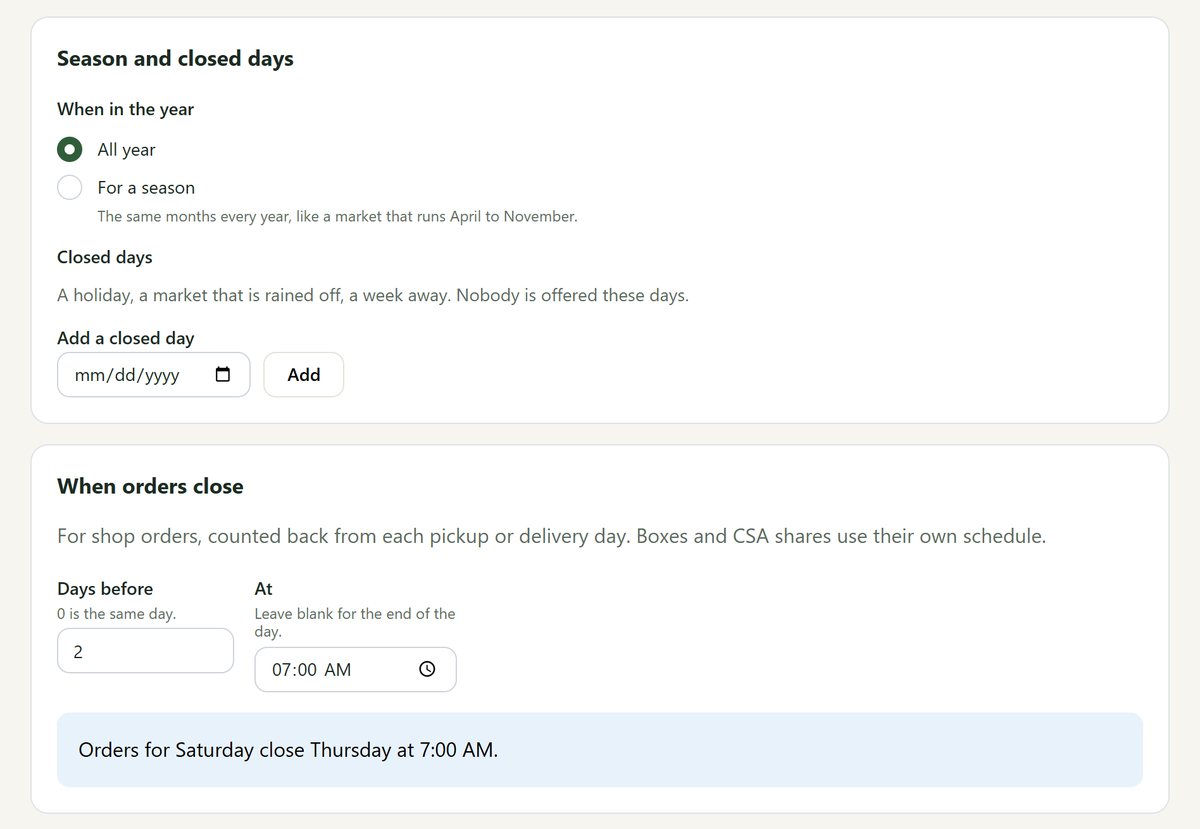
- Each place stops taking orders when you say, like “two days before, at 7 AM”.
Every plan
Sell by the pound
Charge for what the ribeye actually weighed, without guessing and without refunds.
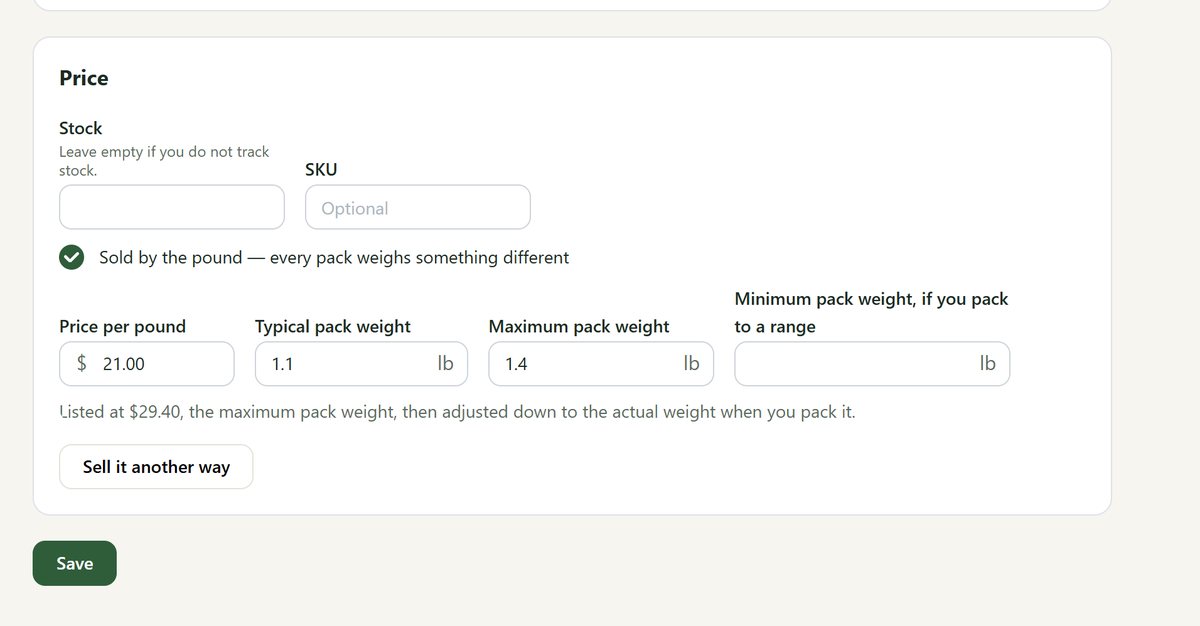
- For each product, say what a pound costs, about what a pack weighs, and the most it will ever weigh.
- The customer sees the most they could pay. Their card is held at checkout, not charged.
- On pack day you weigh each pack. Pasturly takes exactly that from the hold, and the rest is let go.
- It works for pickups, your own delivery route and shipping, and at the market the app weighs each pack as you sell it.
Every plan · without Shopify
A market app for your phone
Your register at the farmers market, with your products already in it.
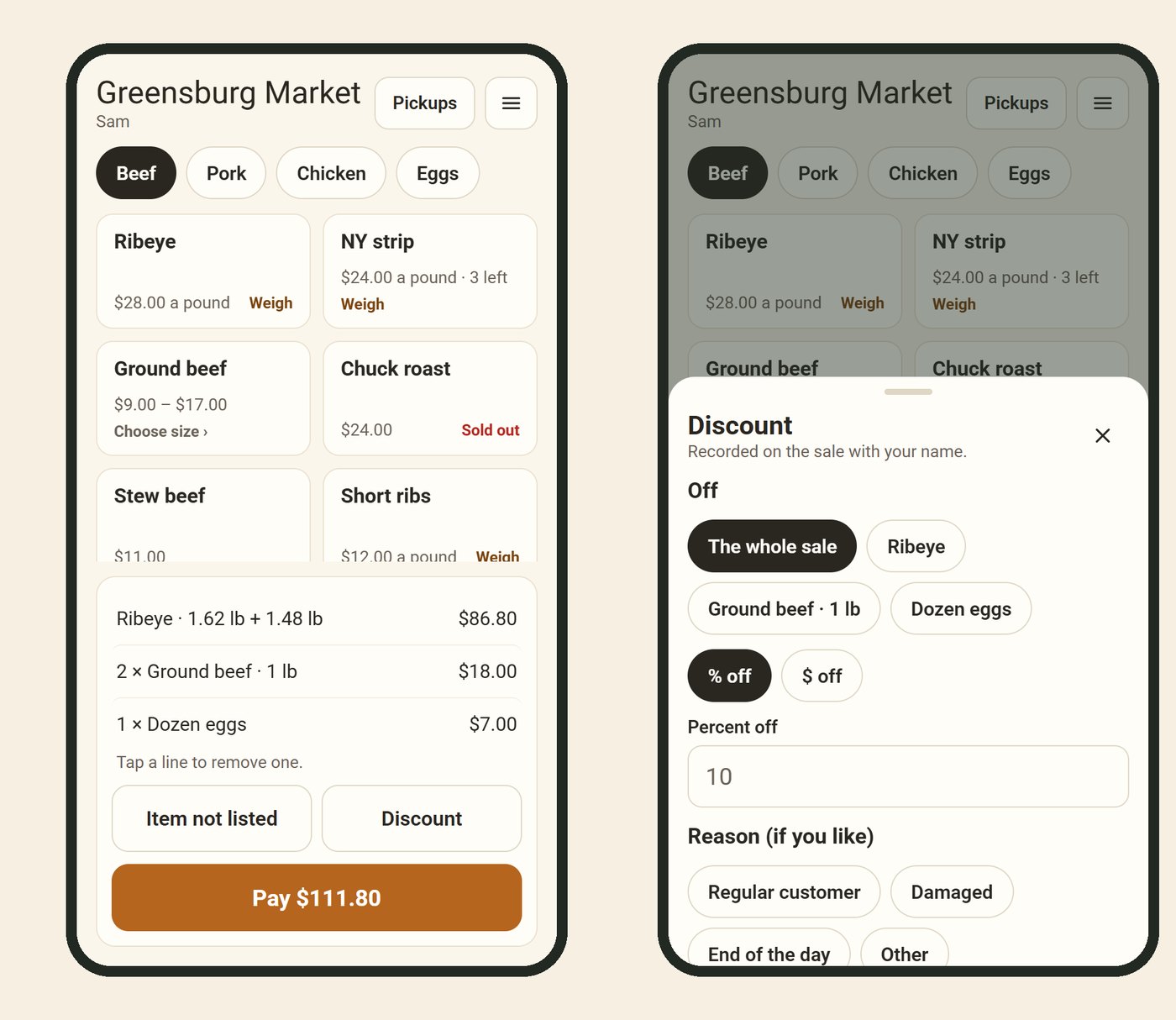
- Take cash, checks and cards. Tap to Pay works on an Android phone, and a Stripe card reader takes chip cards. Card money goes to your own Stripe account. Get it on Google Play; iPhone coming soon.
- Item not listed rings up anything else by name and price. Discount takes an amount or a percent off one item or the whole sale.
- It keeps selling when the signal drops, and sends the sales when it’s back.
- Customers who ordered ahead are on the same phone, ready to hand over. Each market hand signs in with their own PIN.
Every plan
Phone and farm-gate orders
Not everyone orders online. Their orders still belong on the same list.
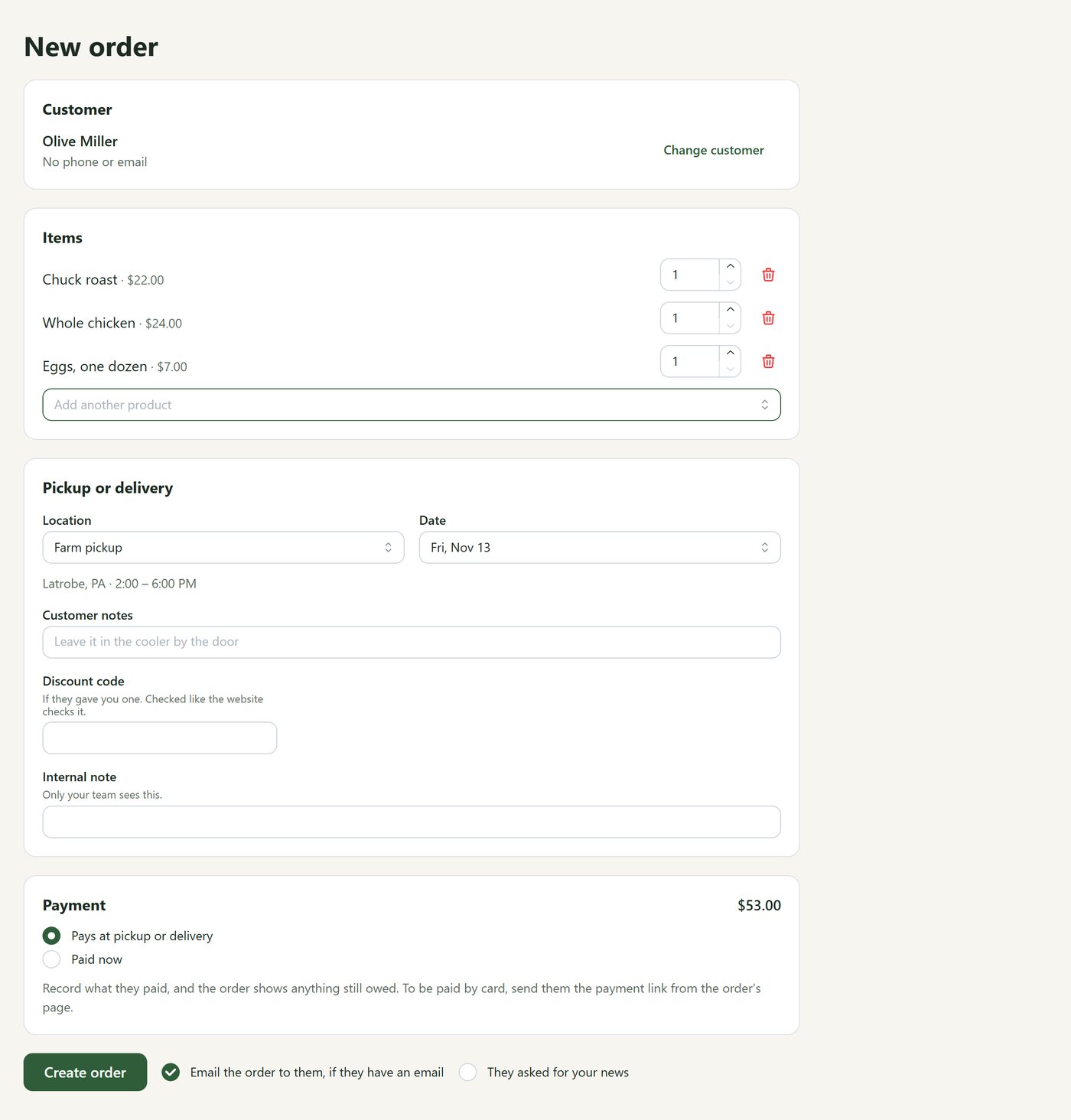
- Find the customer or add them, then add what they want.
- Choose their pickup place or delivery, and the day.
- They pay at pickup, you record a check or cash now, or you send them a link to pay by card.
- It goes straight onto your pack list with everything else.
Every plan
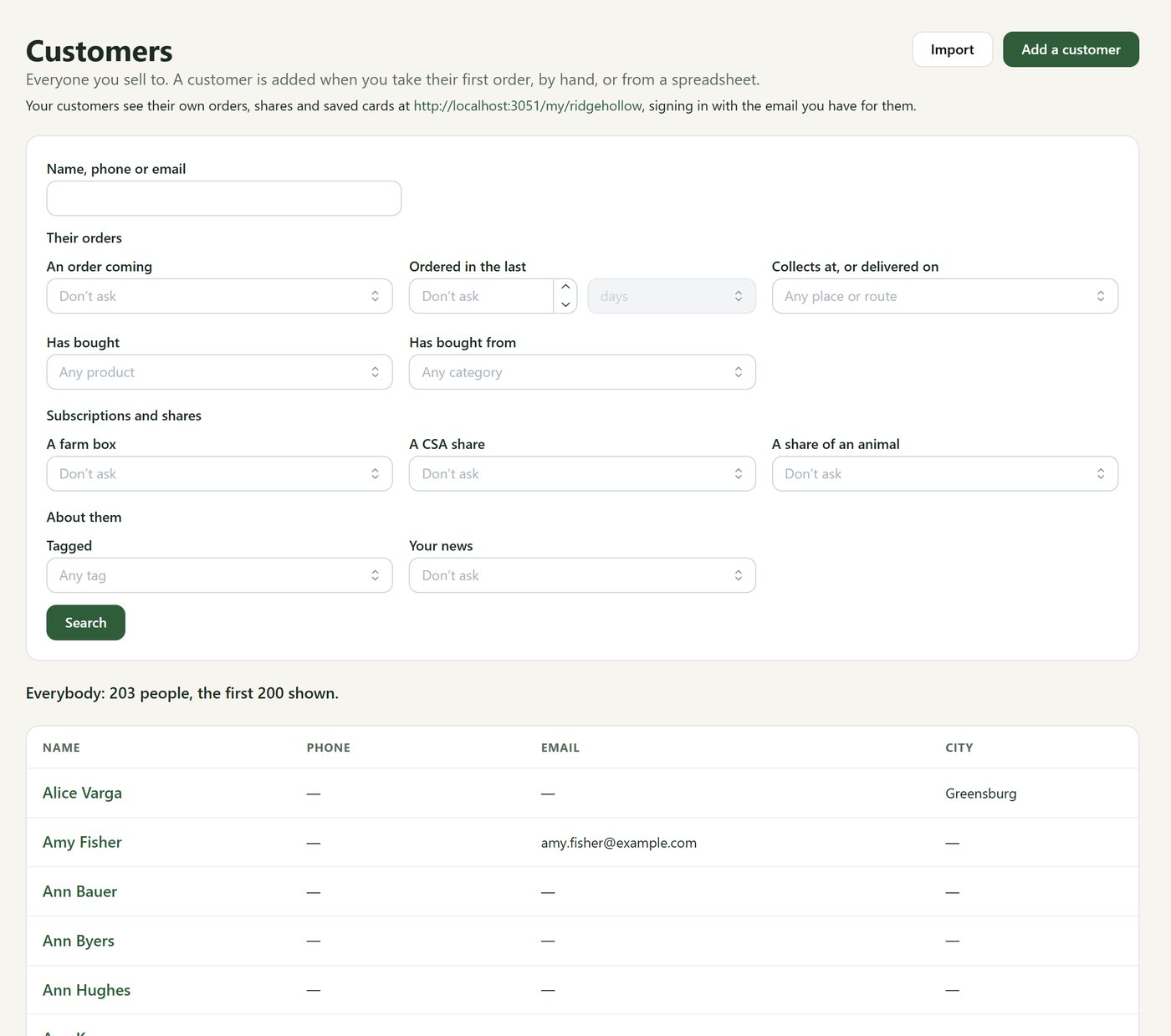
Your customers, in one list
Who they are, what they buy, and where they collect it.
- Find customers by what they bought, where they collect, a box, a CSA share, a share of an animal, or your own tags. “Who’s getting ribeye?” is one search.
- Bring your customers and products over from a spreadsheet.
- Customers look after their own boxes, CSA shares, cut sheets and saved cards from their own page on your website, signed in by an emailed link.
- A box that wasn’t collected can be marked missed and moved to another week.
Pack day
Pack day without the clipboard
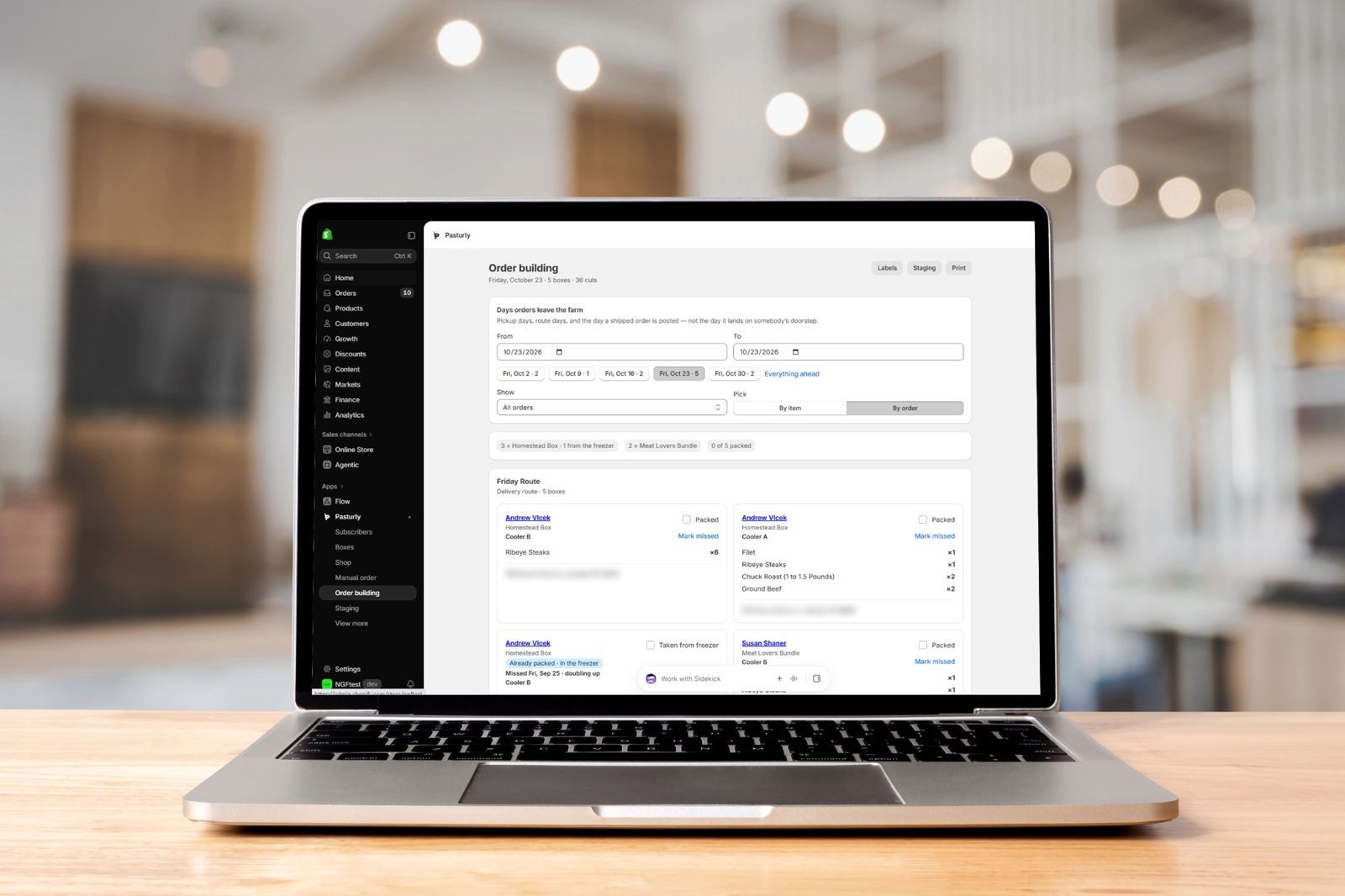
Everything that has to go out, in one list, with where to find it. Then a bag for everything and a place for every packed order until it's collected.
Every plan
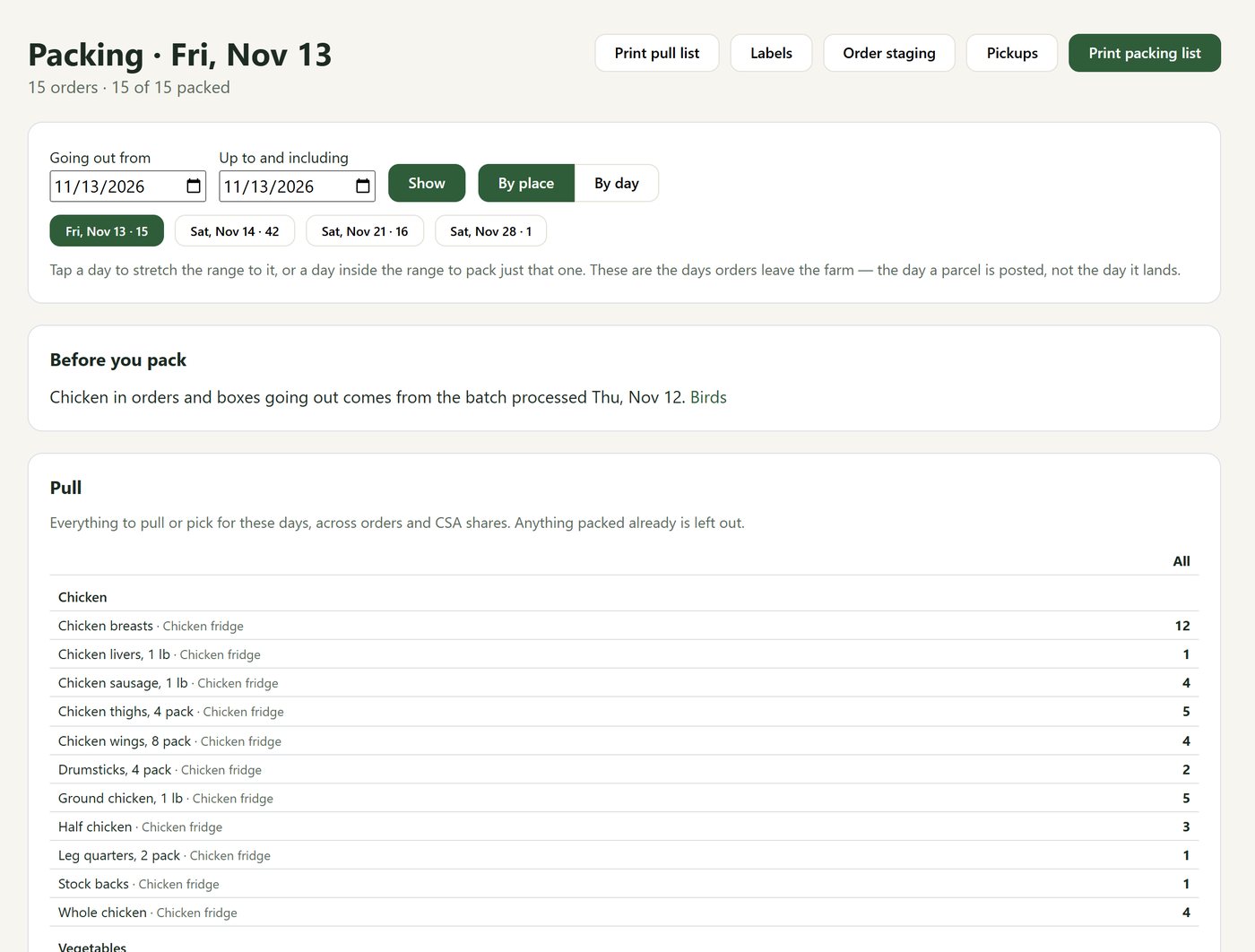
Packing
Pack Thursday through Sunday in one go, from one page.
- Choose a run of days. “Before you pack” reminds you what has to happen first, like the chickens being processed.
- One pull list adds up every product across shop orders, boxes and CSA shares, with where each one is kept.
- Tick each order off by place or by day. Weigh anything sold by the pound right here and the customer is charged.
- Print the pull list, the packing list and the labels, or pack from a phone or tablet.
Every plan
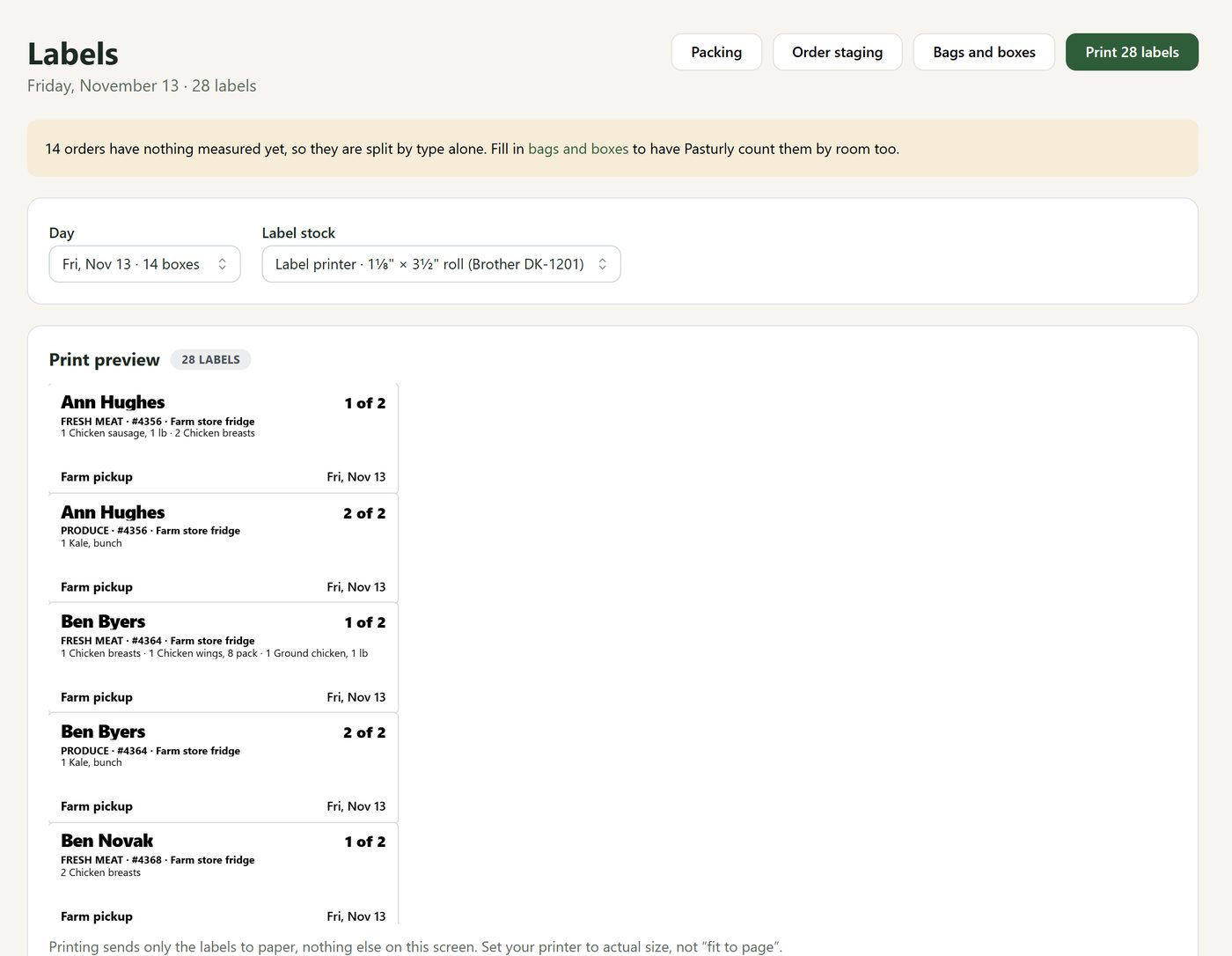
Bags and labels
Frozen meat in one bag, greens in another, and a label on each saying what's in it.
- Things that shouldn’t travel together get their own bags: frozen meat, fresh meat, produce. You choose for each kind of thing you sell.
- Tell Pasturly your bags and boxes and how much room each cut takes, and the labels say “Bag 1 of 2”.
- Mark anything that waits somewhere else, gets packed later or needs a bag of its own. At handover Pasturly asks before anything is left behind.
- Labels print on a roll or on sheets, one order at a time or the whole day.
Route plan
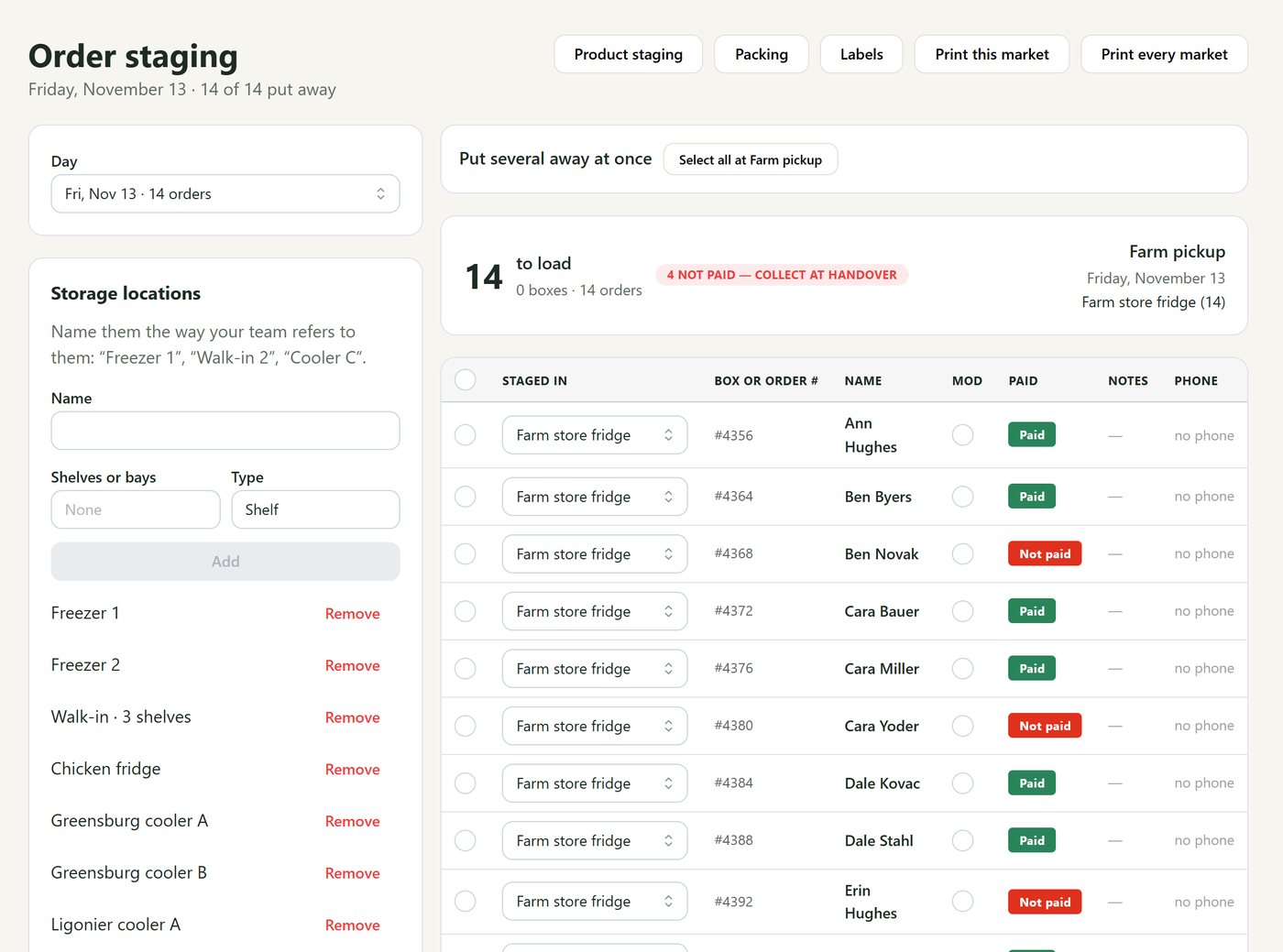
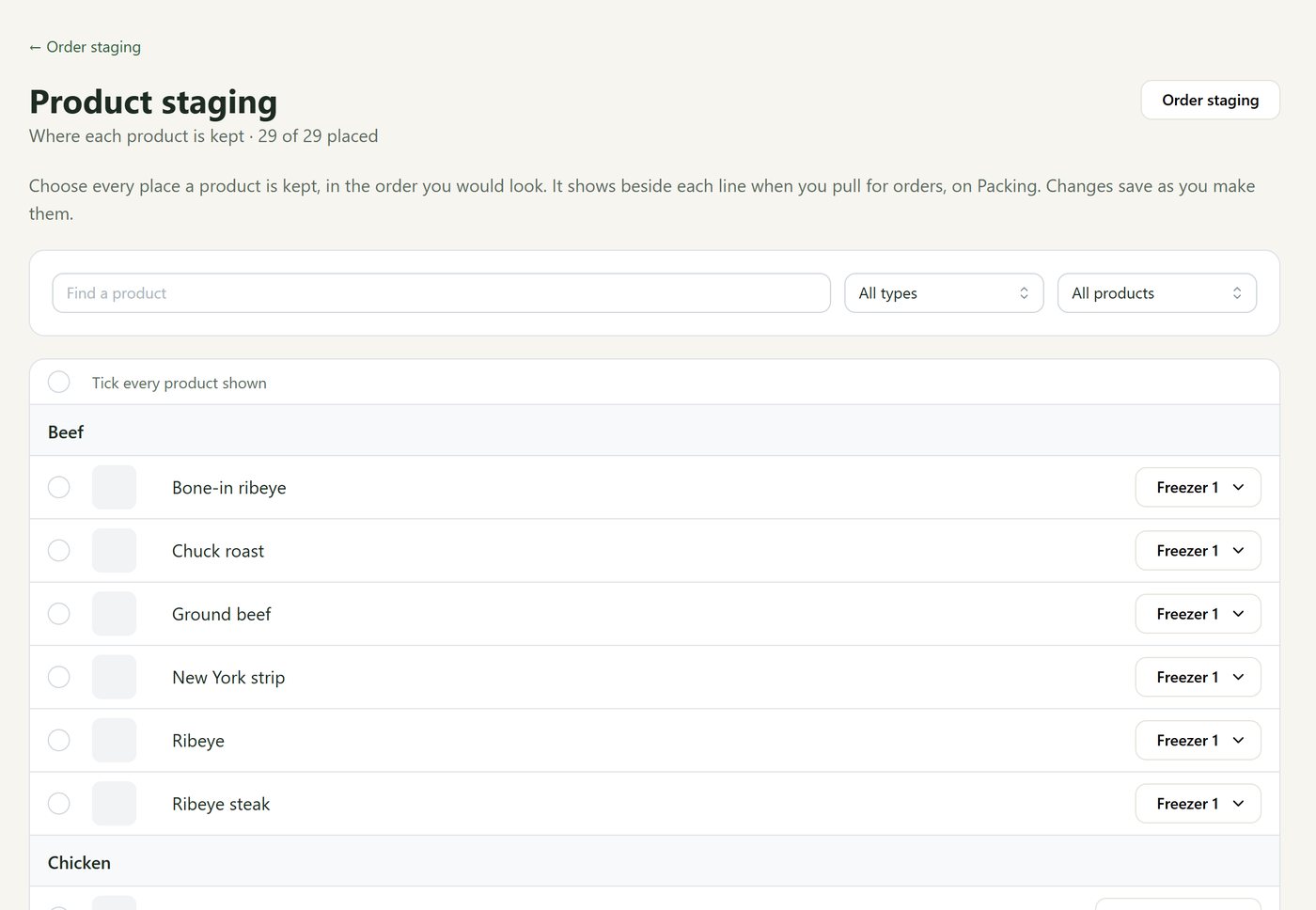
Staging: which freezer, which shelf
Find any order or product fast, whether it's in a freezer at the farm or a cooler at the market.
- Name your freezers, coolers and shelves the way you say them: “Walk-in, shelf 2”.
- Say where each packed order is waiting. Move a whole cooler onto the market truck in one step.
- Say where each product is usually kept, and it shows beside every line of the pull list.
- Print a sheet for each market with every spot already filled in.
Getting it to people
Pickups, routes and shipping, side by side
Most farms do more than one. Pasturly treats your Friday farm pickup, your Saturday route and frozen shipping as equals.
Every plan · routes on Route
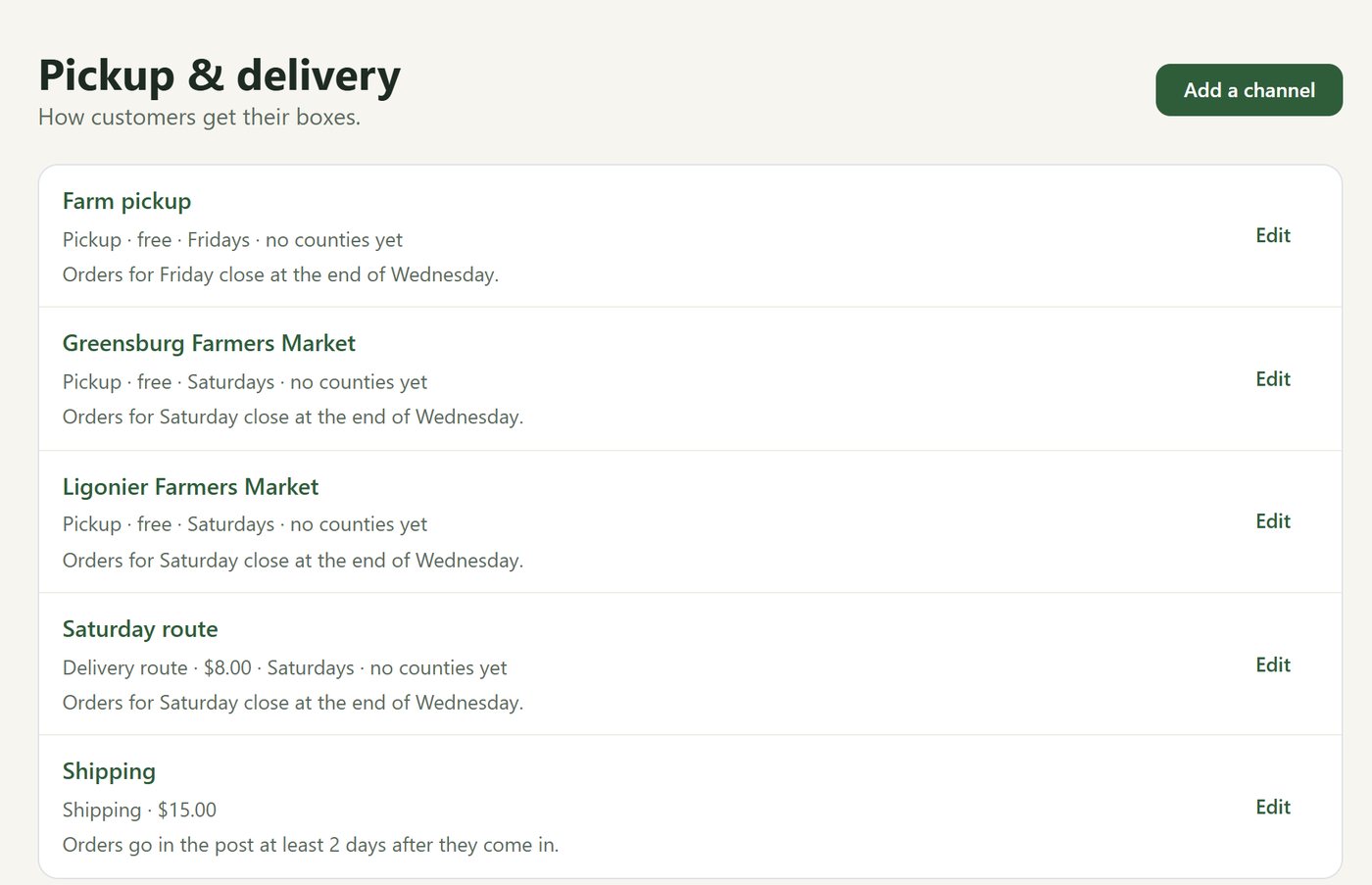
Pickup points, delivery routes and shipping
Set up each place once. Every customer sees only what works for them.
- Pickup points with their days and hours: the farm, the Saturday market, a farm store open Tuesday to Saturday.
- Delivery routes with a fee and the ZIP codes or counties they cover. Pasturly checks the customer’s ZIP for you.
- Shipping, limited to the products that can ship, like frozen meat and not salad greens.
- Each place says when orders close, which months it runs, and the days it’s closed.
Every plan
Handing orders over
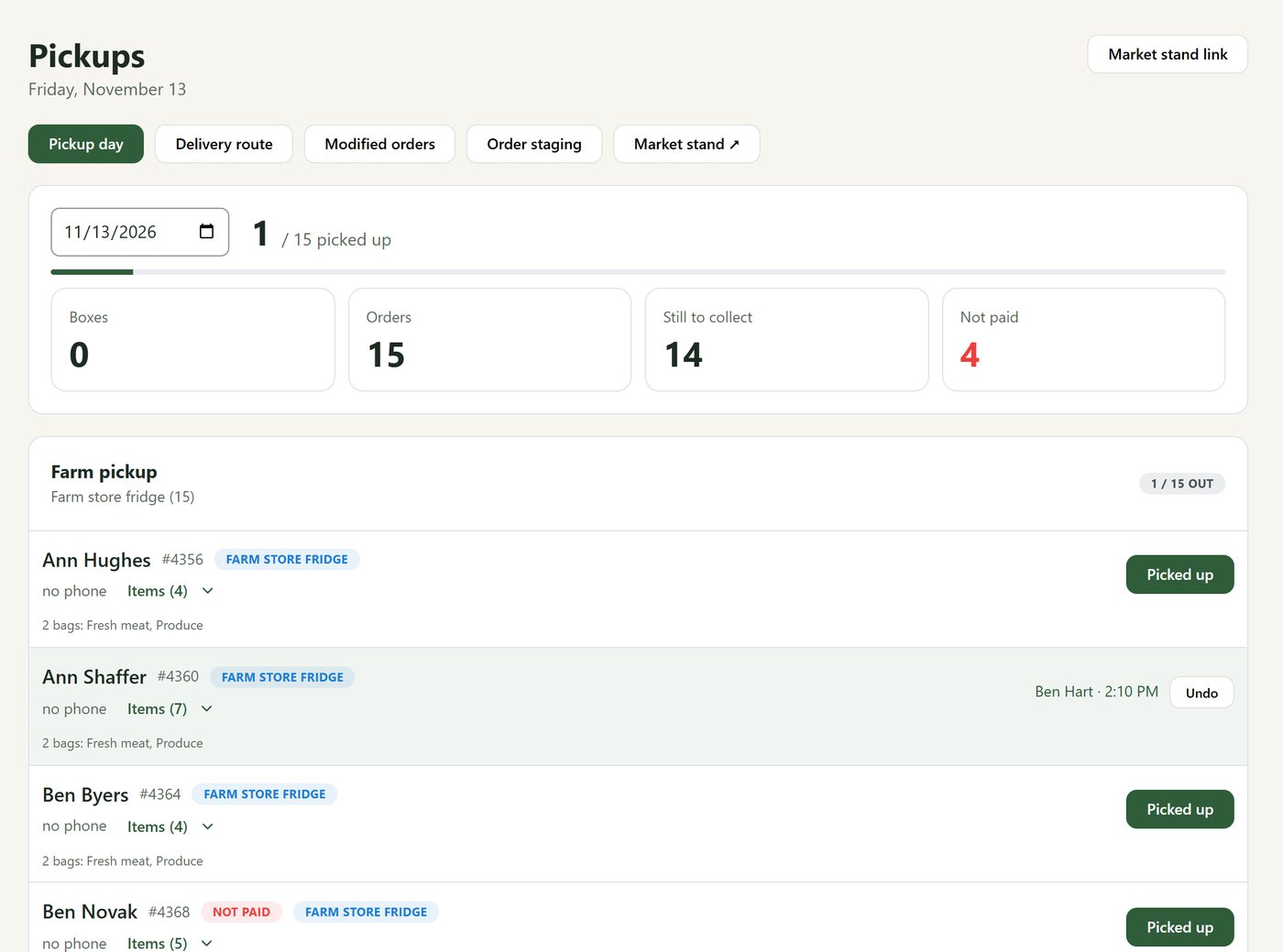
A list for the market table, on the laptop or on a phone.
- Each day’s pickups by place, with how many are collected, still waiting, and not yet paid.
- One tap marks an order picked up. The list keeps it, so nothing vanishes and a mistake can be undone.
- The same list is on the market app, or on a market stand link in any phone’s browser. Each market hand signs in with their own PIN.
- Nobody gets a “your order is on the way” email for food already in their hands.
Route plan
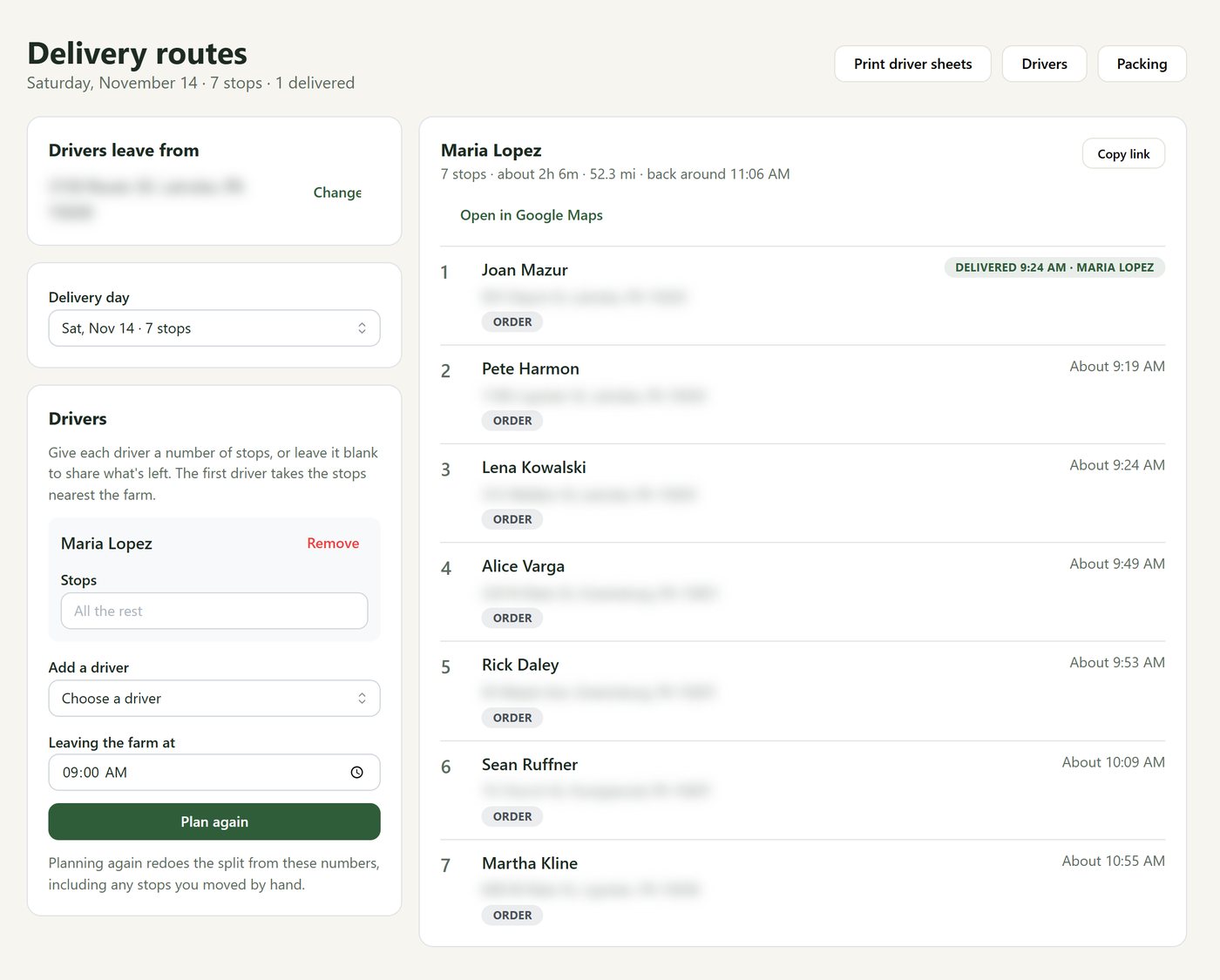
Delivery routes that plan themselves
Say who's driving and when they leave. Pasturly does the rest.
- Stops are put in order for you, with arrival times and the miles for the day.
- Split a busy day between drivers, by number of stops.
- Each driver gets their own link: their stops on their phone, Google Maps one tap away, and a button to mark each one delivered.
- Print driver sheets for anyone who would rather have paper.
Every plan
Newsletters and pickup emails
"The beef is back." "Market's moved to the pavilion." Sent to exactly the right people.
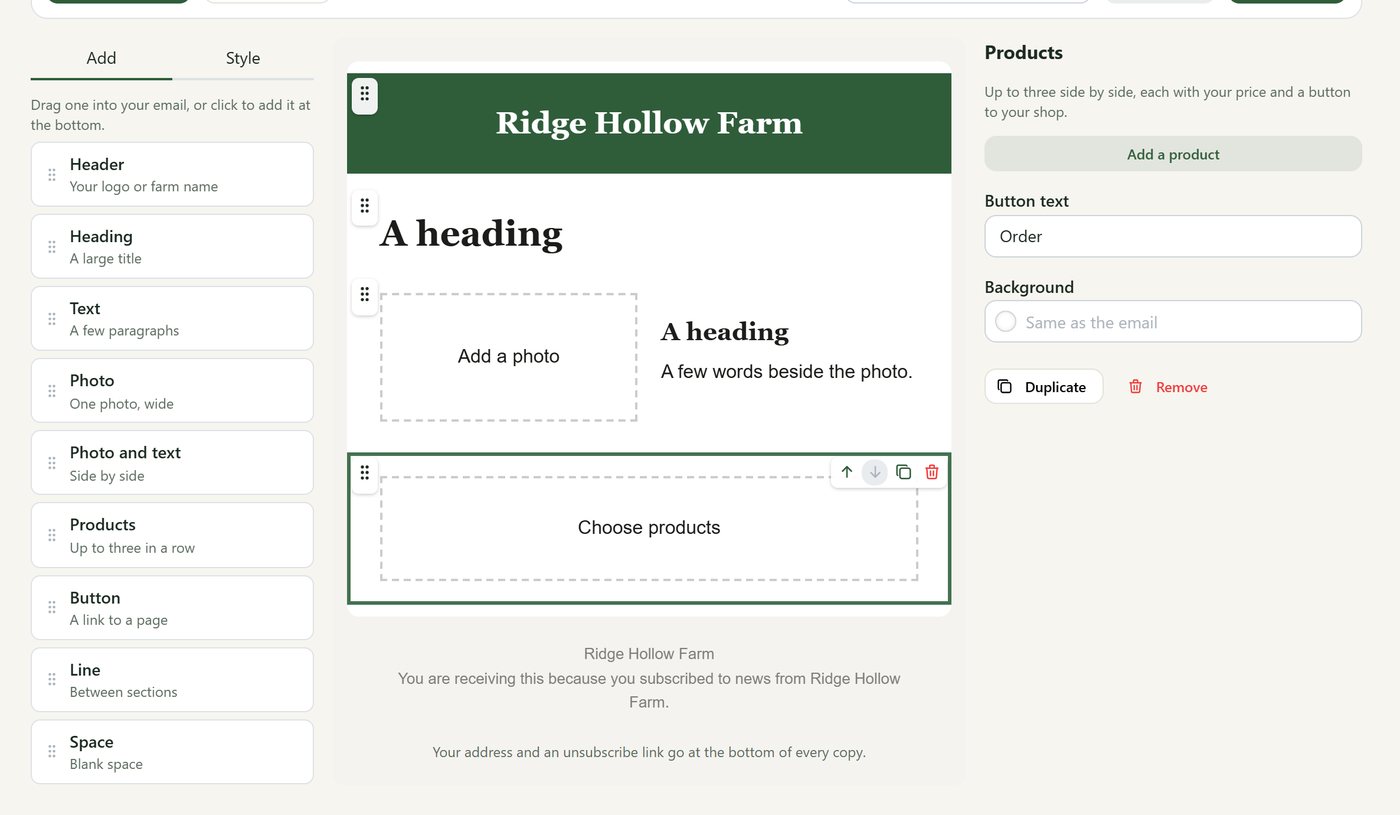
- Without Shopify, build a newsletter from ready-made sections: your logo, photos, text and products with a button to buy.
- Send it to everyone who asked for your news, or a group: everyone with an order this week, a CSA group, everyone who collects at one place.
- See who opened it and clicked, and the orders that came from it. Receipts and pickup reminders go out by themselves, from your farm’s own address.
- On Shopify, Pasturly gathers the right people into one list and you send it in Shopify Email.
Bringing them back
Gift cards, reviews and a week at a glance
The things that keep customers coming back, and the numbers that tell you how it's going.
Every plan · without Shopify
Gift cards and discount codes
A gift card for the holidays, a code for a newsletter, free delivery for a regular.
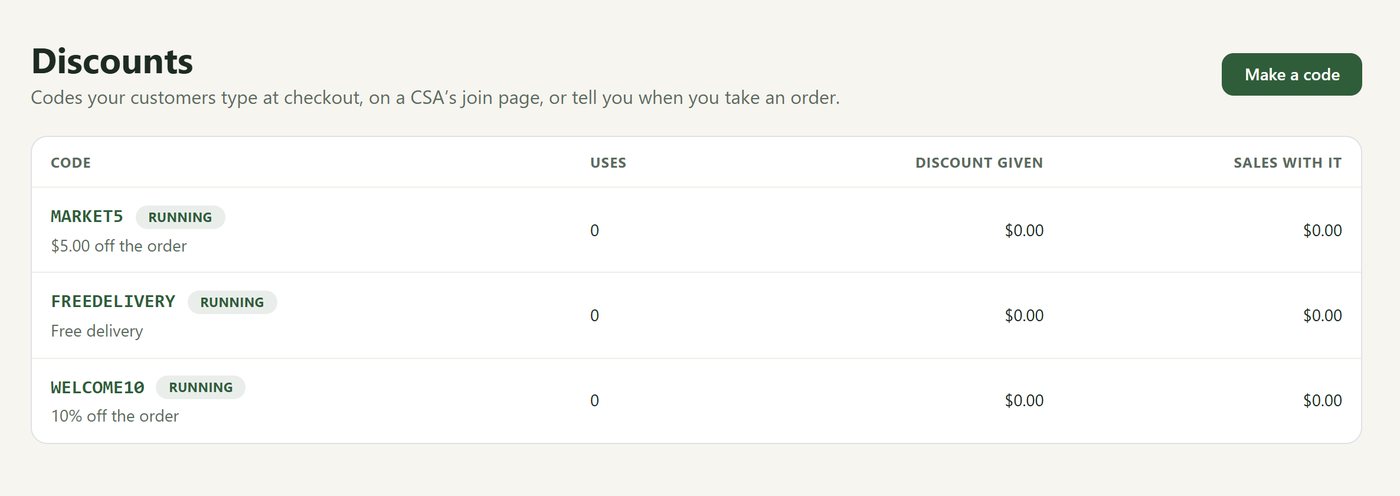
- Discount codes take a percent or an amount off, or give free delivery, on the whole shop, some products, a first farm box or a CSA share.
- Set limits like first order only, once per customer, a minimum order or an end date. Each code shows how often it was used and the sales that came with it.
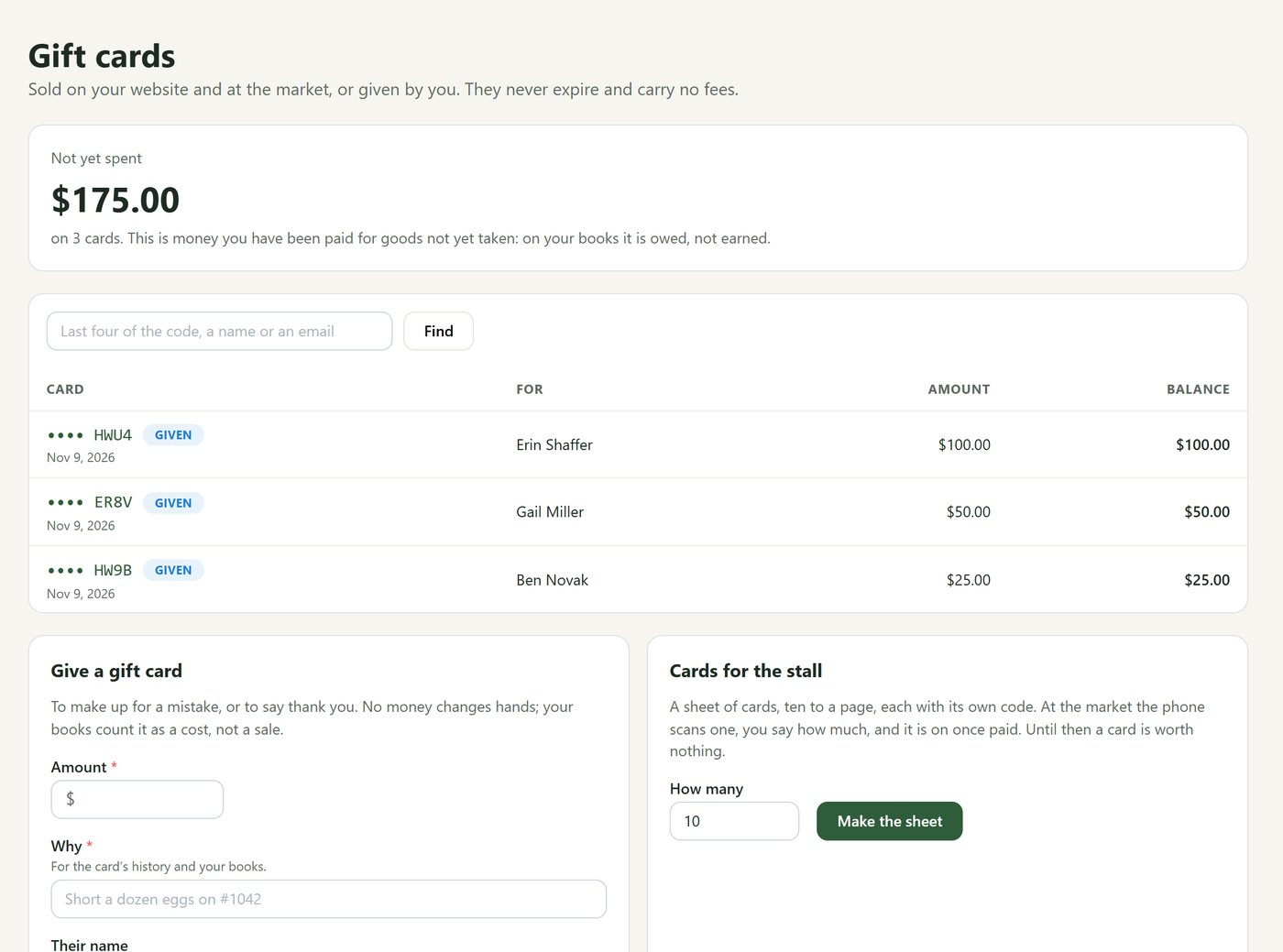
- Sell gift cards on your website and at the market, or give one to make up for a mistake. They never expire and carry no fees.
- Print a sheet of cards for the stall. Pasturly keeps a running total of what hasn’t been spent yet.
Every plan · without Shopify
Customer reviews
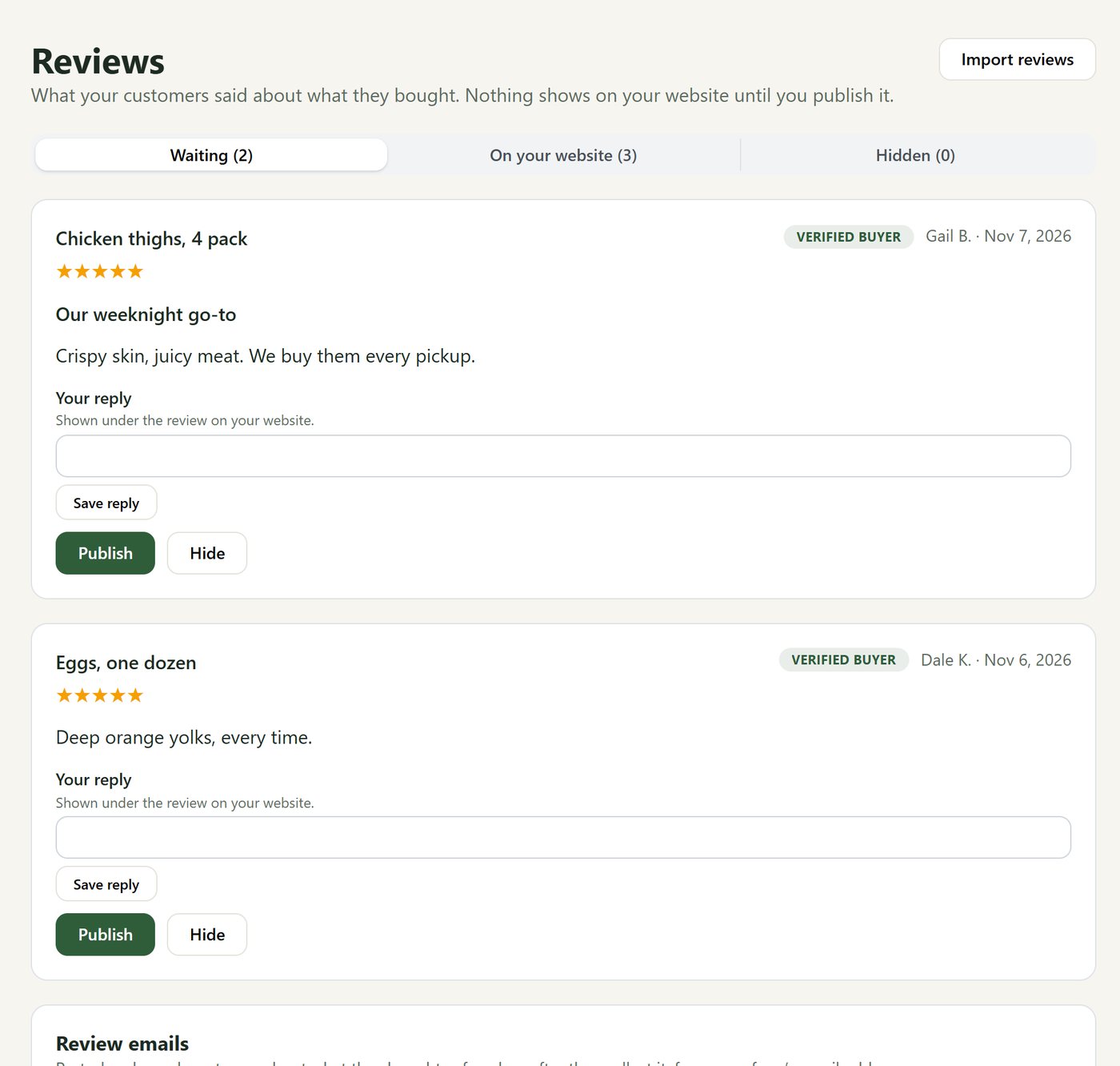
What your customers said about what they bought, on your own website.
- A few days after an order is collected, Pasturly asks the customer what they thought, from your farm’s email address. Nobody is asked more than once in 30 days.
- Nothing shows on your website until you publish it. Or let four- and five-star reviews go up by themselves; one with a photo always waits for you.
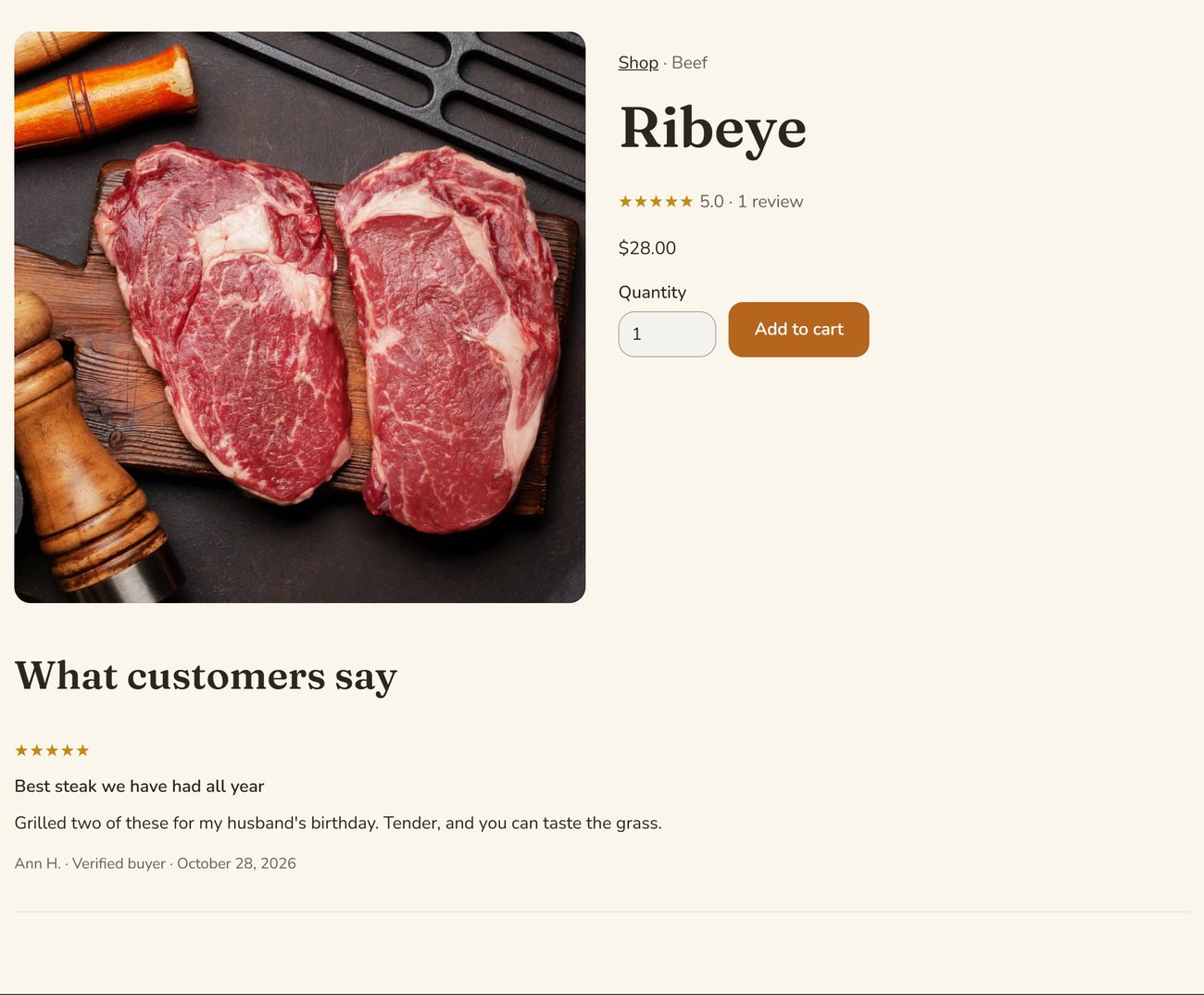
- Reply under any review. Stars show on your shop and product pages, marked “Verified buyer”.
- Bring your reviews over from another platform.
Every plan · without Shopify
Your week and your sales, on the home page
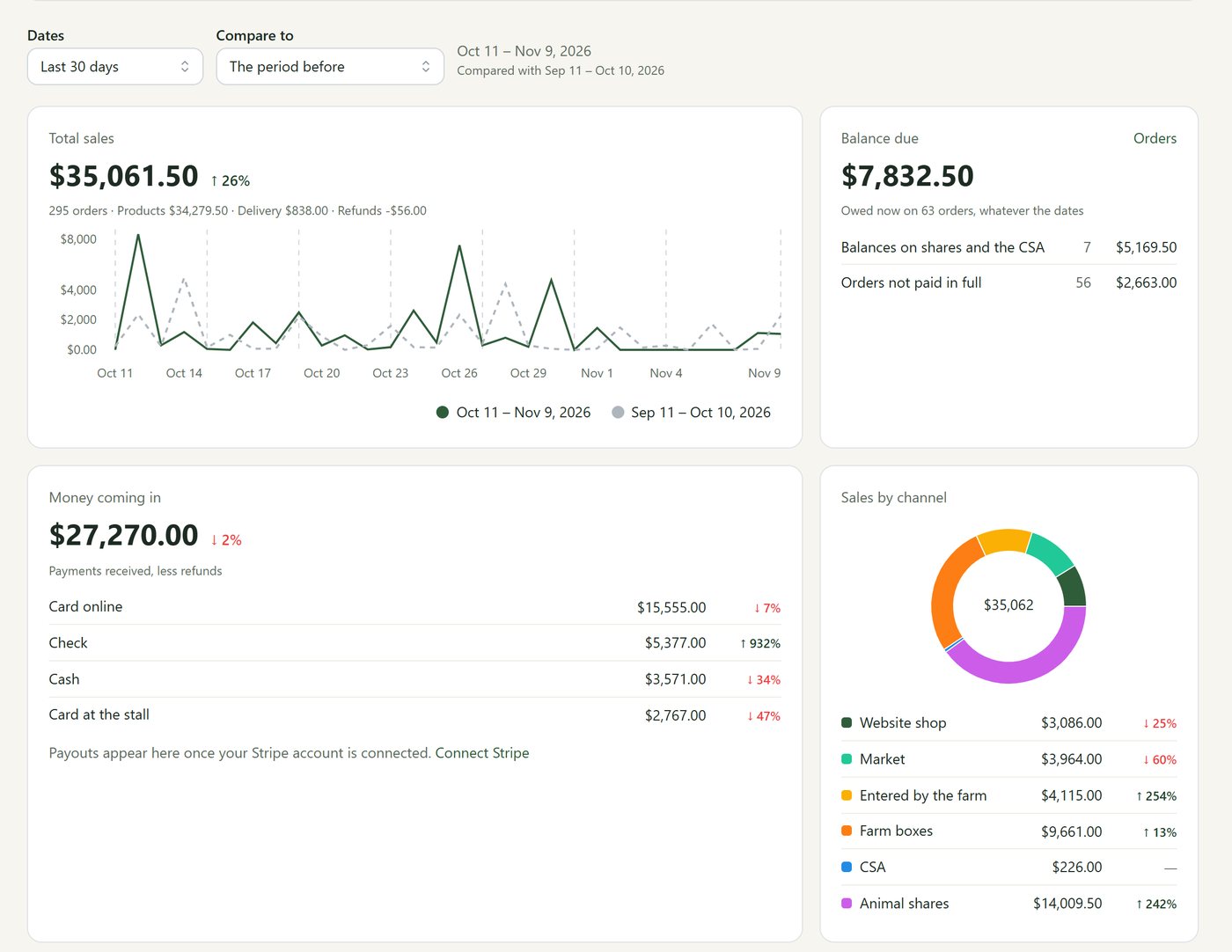
What needs doing this week, and how sales are going, the moment you sign in.
- The week at a glance: what’s left to pack, pickups, deliveries, cut sheets not filled in and balances owed, each one tap from its screen.
- Sales for any dates against the period before, by channel and by place, with top products and returning customers.
- Money coming in by card, cash, check and at the stall, and your payouts from Stripe.
- Website visits, where they came from, and sales from each newsletter. Only owners and managers see the money.
Animals and CSA
Whole animals, chickens and your CSA
The Harvest plan is about what you actually have: the steer in the field, the birds going to the processor, the season ahead.
Harvest plan
Cut sheets anyone can fill in
Your customer has never talked to a butcher. They don't need to.
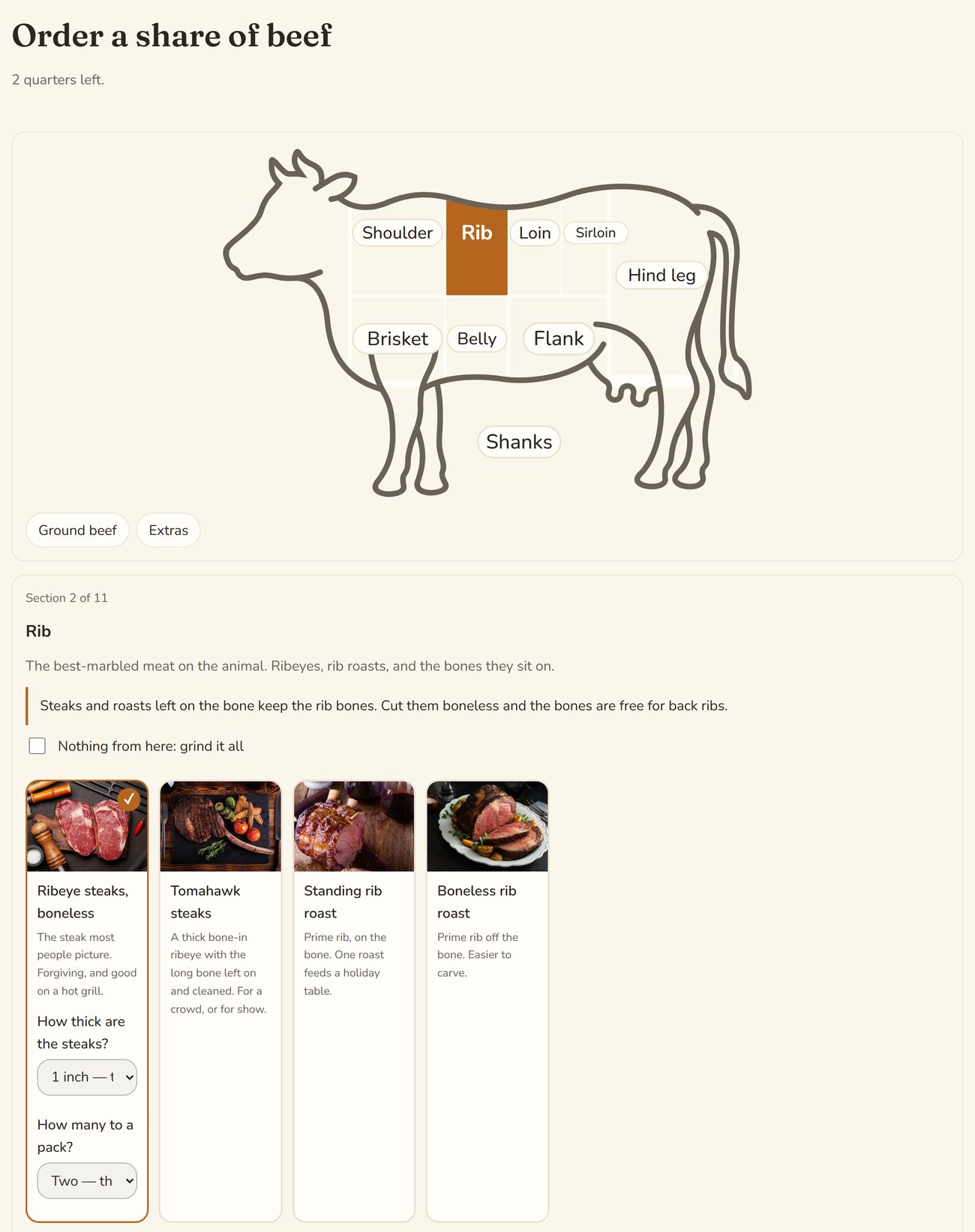
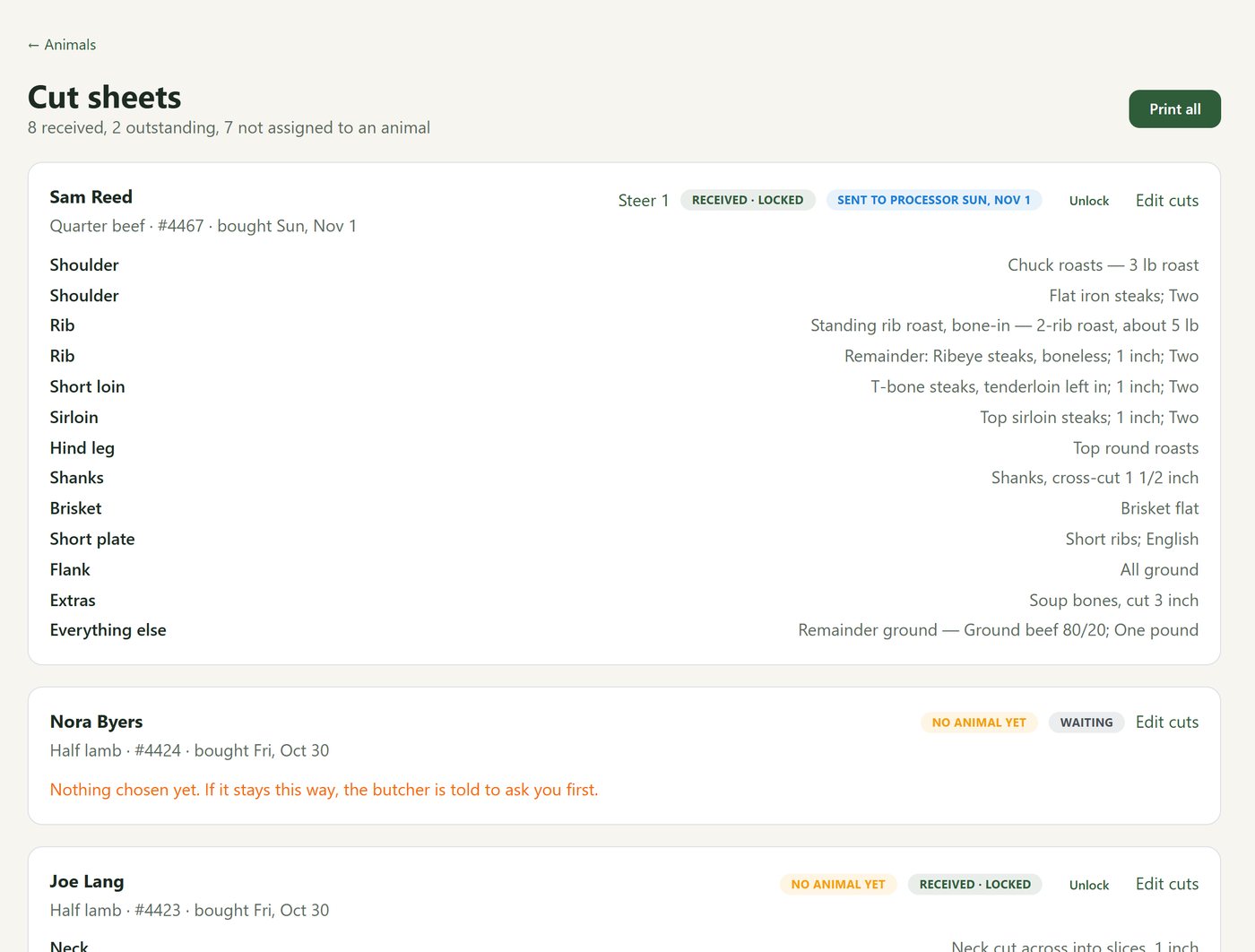
- They pick a whole, half or quarter at your prices and pay the deposit. A quarter is a fourth of everything, so nobody misses out on the brisket.
- They go round a drawing of the animal, part by part. Each choice has a photo and a plain description. Anything they don’t choose is ground.
- A half can be cut one way, or each quarter its own way. Beef, pork and lamb are all built in.
- You set what your processor actually does, in your names, with your photos. Then print the sheets, save them as a PDF or email them to the processor.
Harvest plan
Animals and yields
Know what each animal gave you, and price the next one with real numbers.
- Group animals into batches going to the butcher together, with dates and the processor.
- See how many shares are sold, put each one on an animal, and invoice the balance after processing.
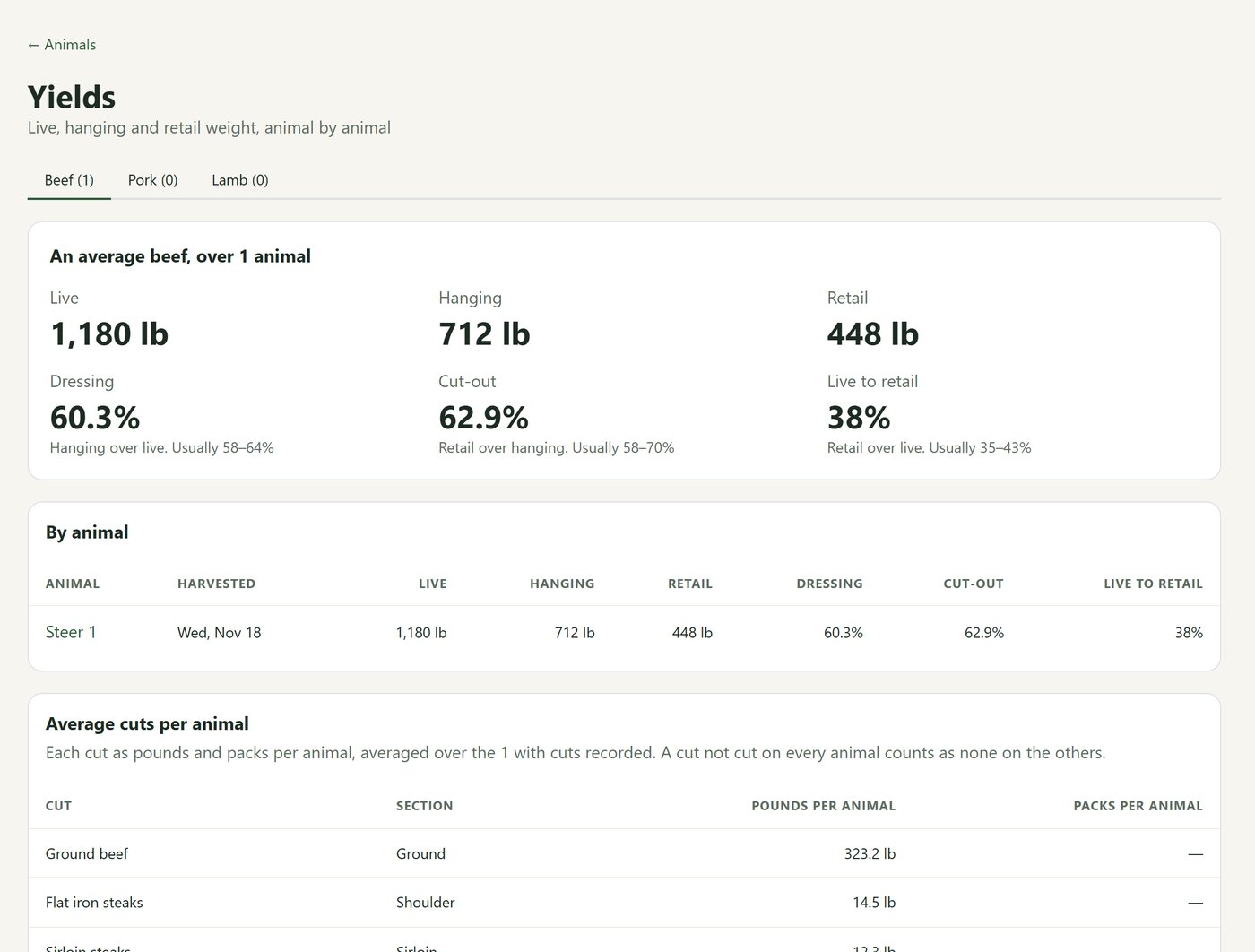
- Record live and hanging weight and what came back. Pasturly shows dressing and cut-out percentages against the usual ranges.
- See what an average steer gives you, cut by cut.
Harvest plan
How many chickens to process
Breasts, thighs, wings and wholes from the same birds, worked out for you.
- Say what one pack of each product takes off a bird.
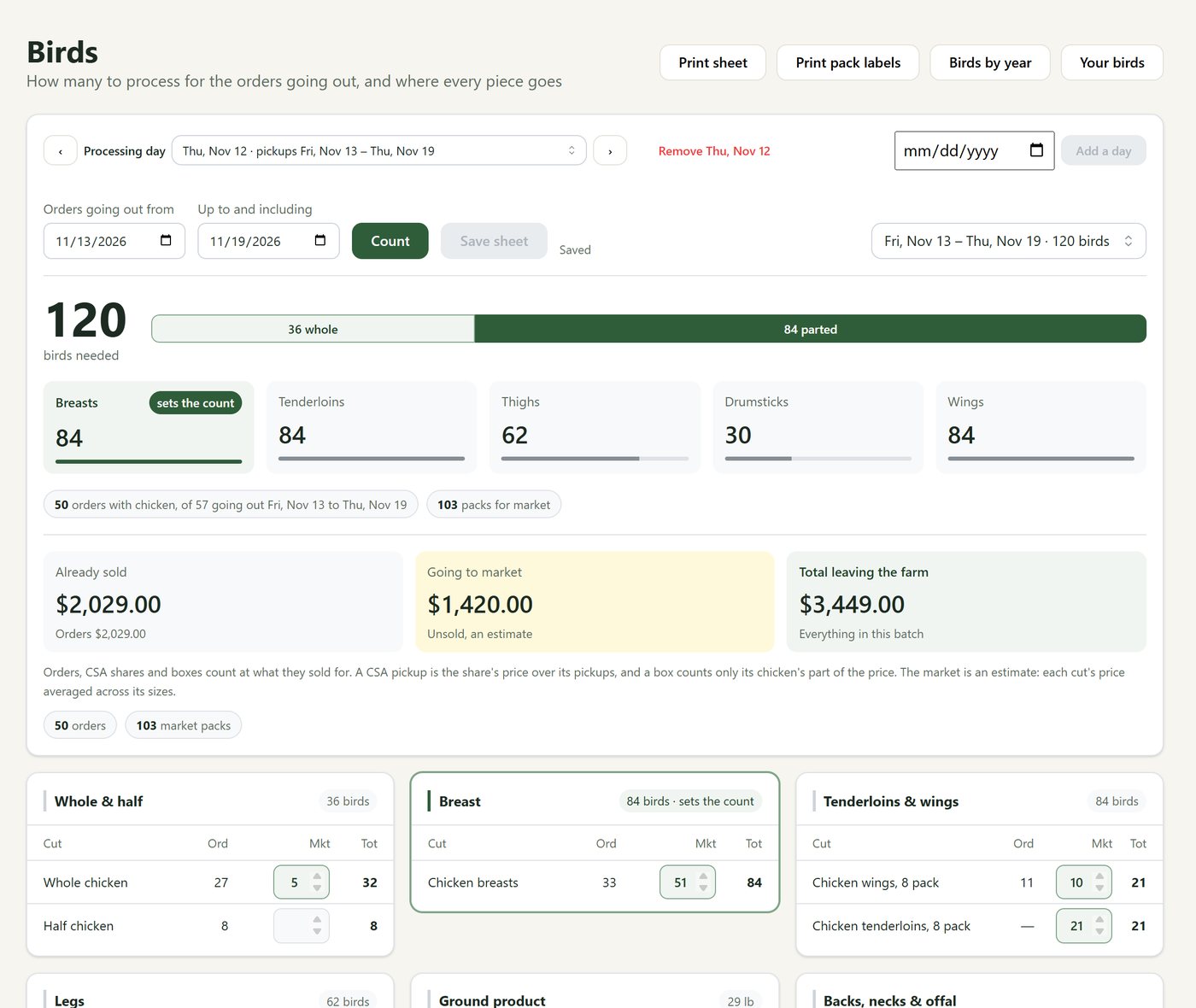
- Pasturly counts the birds you need for the orders, boxes and CSA shares going out. The part that needs the most birds sets the number.
- Leftovers go to ground. See what the batch is worth: already sold, going to market, and the total.
- Print the sheet and pack labels, then record what each processing day actually gave you, year by year.
Harvest plan
Your CSA, start to finish
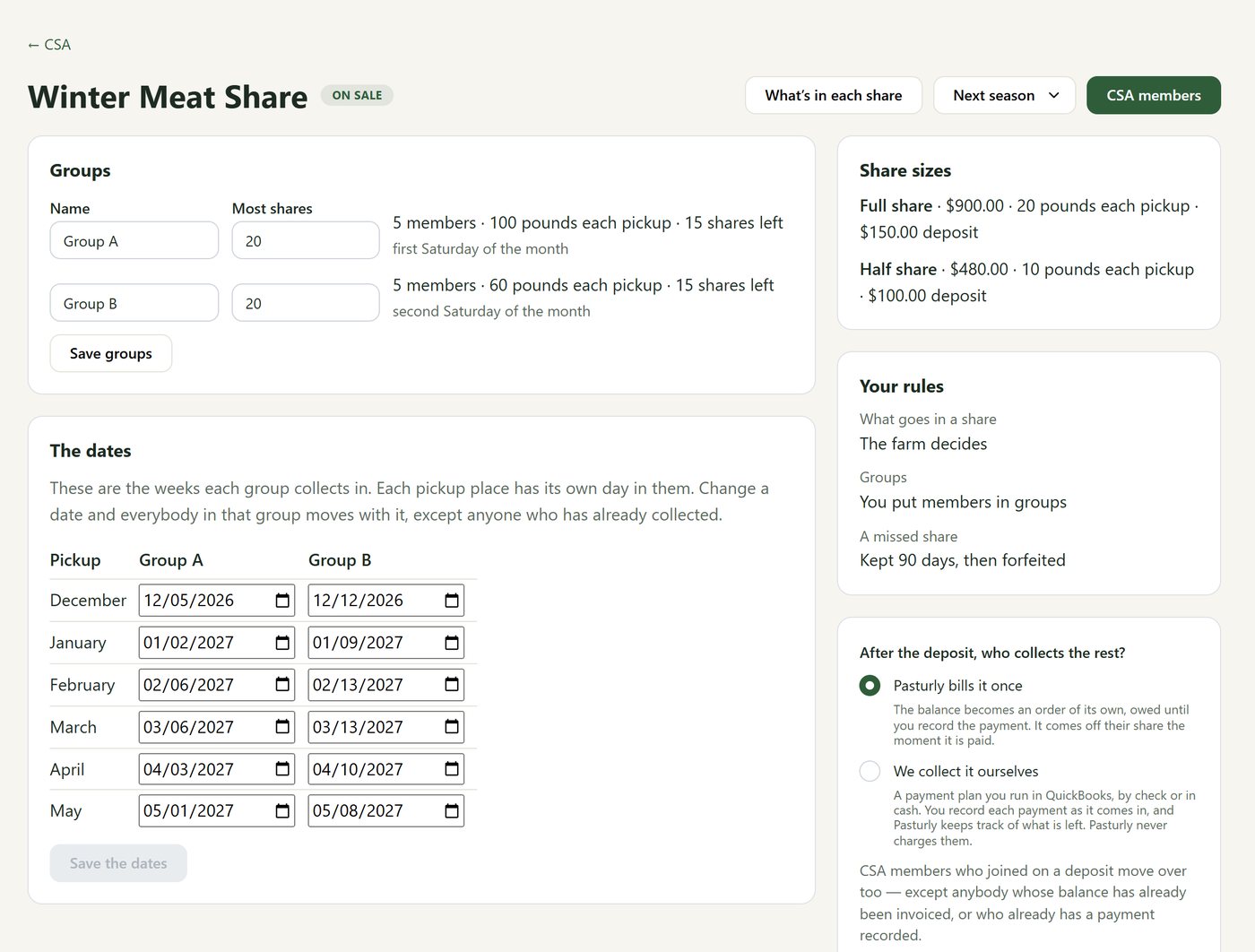
Seasons, shares, deposits and pickups, with members who sort out their own weeks.
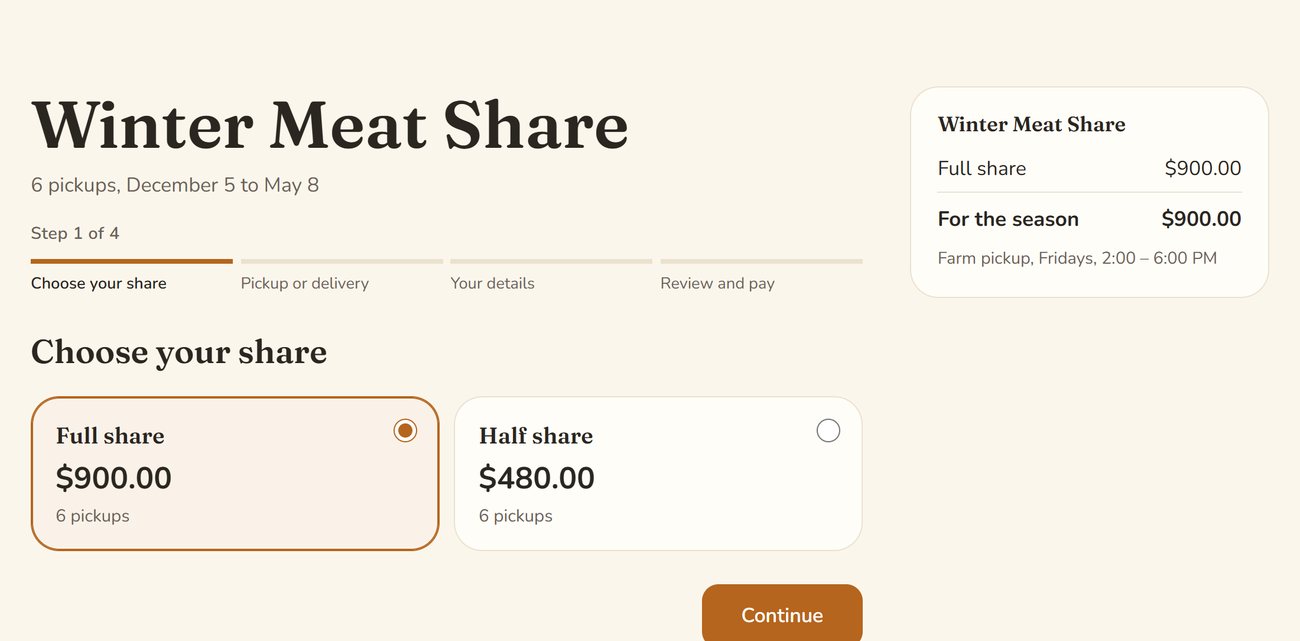
- Set the season’s weeks once. Each pickup place keeps its own day within the week. Members join and pay on your website.
- Sell full and half shares with a deposit. Pasturly sends one bill for the balance, or you collect it yourself and note what comes in.
- You fill the shares, members choose once at signup, or members choose each week until your cutoff. Members can get their own price on extras.
- A member who can’t make it picks another place or day from their own link. Renewals and a waitlist are built in.
Running it
Easy to start, and yours to keep
Pasturly is meant to be set up by a farmer in an evening, and to keep your customers' details safe.
Every plan
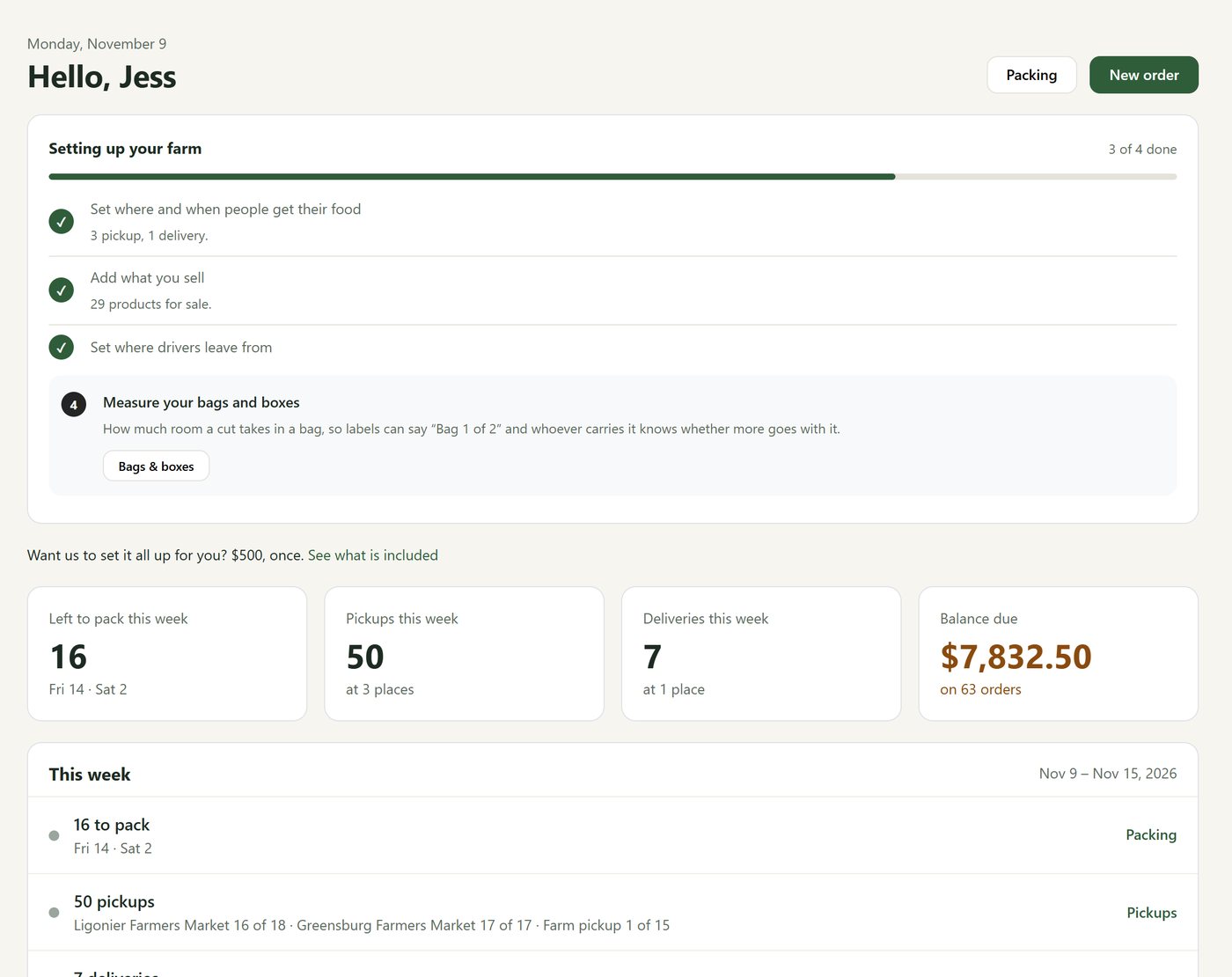
A setup list that ticks itself off
Questions you can answer from memory, one at a time.
- Where and when people get their food, what you sell, where drivers leave from, how big your bags are.
- Bring your customers and products over from a spreadsheet. Short videos walk through each step.
- Practicing first? Reset your farm’s data before you go live.
- Rather we set it up? Turnkey setup: we build your website with your products, prices and photos, set Pasturly up, and walk you through it, for $500 once.
Every plan
Your customers stay yours
Seen by you and the people you trust, and nobody else.
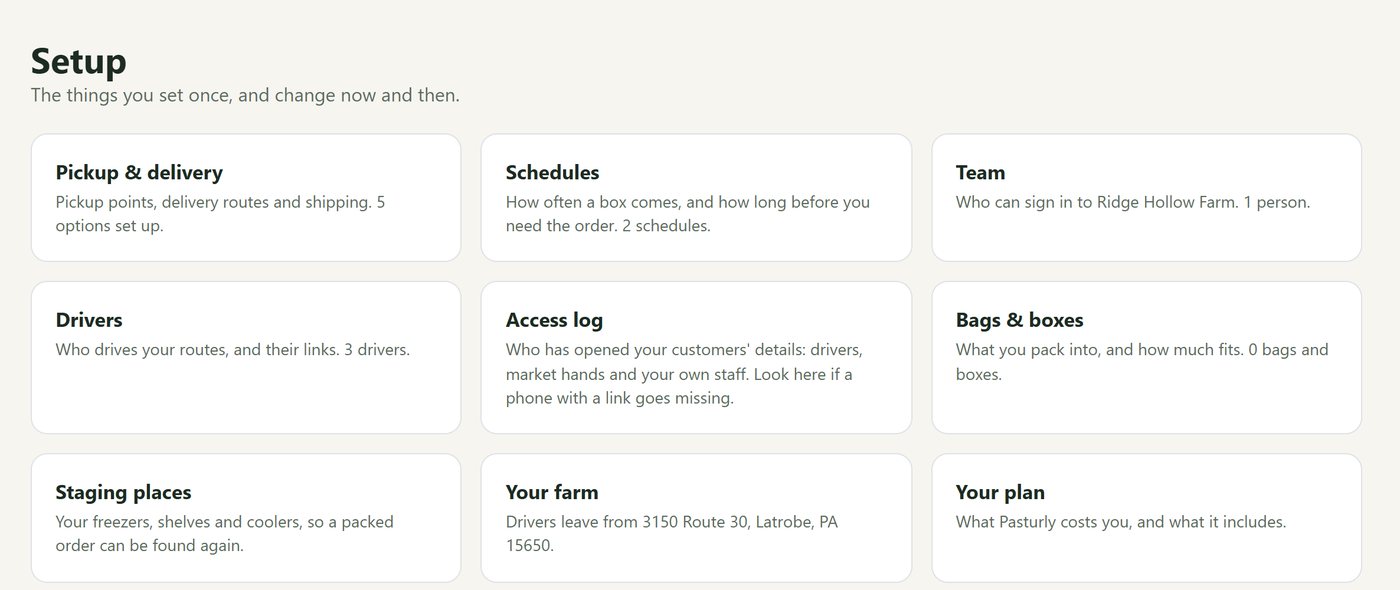
- The access log shows every time a driver, market hand or staff member opened customer details. Handy the day a phone goes missing.
- Customers can ask for their data to be removed, and it is, everywhere Pasturly keeps it.
- Your farm is backed up every night, and you can download everything as one file whenever you like.
- Change plans whenever you like. Nothing you’ve set up is lost.
Start today
Ready before your next pack day.
Start your farm on Pasturly now. Your first 7 days are free, with no card needed, and the setup list walks you through it one question at a time.
- 7 days free, then choose your plan
- No required setup fee, no cut of your sales
- Help from a farmer who uses it every week
Selling on Shopify?
Pasturly for Shopify puts the same farm tools inside your Shopify store. It’s taking early-access farms while Shopify reviews it for the App Store.